Hook, Value, Proof, Close: Modular ATS Cover Letters That Get Read

Write a 250 to 400 word cover letter in a single column, using a standard font like Arial or Calibri, and save it as a DOCX or text-based PDF. Structure it in four short blocks: a hook, your value, proof with a number attached, and a close. Pull 4 to 6 exact phrases from the job description and place them inside real sentences, not a floating list. Skip headers, footers, and images, and put your contact information in the body text where the system can actually find it.
TL;DR:
- Most ATS systems struggle with complex formatting like tables, images, and headers, making standard single-column, plain text formats essential.
- Contact details should always be placed within the body of the letter, not in headers or footers, to ensure they are parsed correctly.
- Incorporate 4 to 6 key terms from the job posting into your cover letter with specific examples demonstrating your experience.
- Use standard fonts like Arial, Calibri, or Times New Roman in sizes 10-12 points, with 1-inch margins, and avoid decorative elements to improve parsing reliability.
- Tailor your cover letter structure into clear sections—hook, value, proof, and close—focusing on real accomplishments backed by numbers, and avoid unnecessary design features.
Table of Contents
- How ATS Systems Actually Read Your Cover Letter
- The Exact Format, Fonts, and Structure That Work
- How to Pull the Right Keywords From the Job Posting
- Three Swap-Ready Cover Letter Templates You Can Adapt
- Saving, Uploading, and Testing Your File Before You Apply
- When a Cover Letter Is Worth Writing (and When to Skip It)
- Your Pre-Submit Checklist Before You Hit Send
- Why the Modular Method Beats Writing From Scratch Every Time
- Let JobAlign Draft the Keyword Work for You
- Sources
- FAQ
How ATS Systems Actually Read Your Cover Letter
Not every employer feeds the cover letter into the same parsing engine as the resume, but a growing number do, and treating the letter as decorative is a mistake. When an ATS does scan it, the system is looking for the same thing it looks for in a resume: clean, machine-readable text it can extract and match against the job requisition.
Some elements parse reliably. Others quietly wreck your application before a human ever sees it.
- Plain body text in standard paragraphs: parses cleanly almost every time.
- Headers and footers: many ATS platforms skip these fields entirely, so a name or email address placed there can vanish from the parsed record.
- Tables and text boxes: often scramble into garbled, out-of-order fragments or get dropped outright.
- Images, logos, and icons: contribute nothing readable and can push a file into a lower-confidence parsing category.
- Unusual fonts or symbols: sometimes convert into broken characters that make your letter look unprofessional even after it’s “successfully” parsed.
That’s why the recommended structure keeps contact info in the body rather than a header. If a recruiter opens a parsed record and your email address is missing, the letter might as well not exist. A garbled table where your certification list used to be does the same damage in a different way. Simple, boring formatting is what wins here.
The Exact Format, Fonts, and Structure That Work
Nail the format before you write a single sentence, because a beautifully written letter in the wrong file structure never gets read the way you intended.
- Use a single-column layout. No sidebars, no multi-column design, no text boxes.
- Pick Arial, Calibri, or Times New Roman, sized 10 to 12 points, with 1-inch margins on all sides.
- Put your name, phone, email, and city near the top of the body text, not in a header or footer. This is the single most common technical mistake in cover letters.
- Skip logos, borders, and decorative lines. They add zero value to a parser and can distract a human reviewer too.
- Address a named hiring manager when you can find one. If not, “Dear Hiring Team” beats “Dear Sir or Madam” for tone and reads less like a form letter.
- Follow a four-part modular structure, which the Applicant Tracking Platform’s cover letter guide recommends as the fastest way to stay concise:
- Hook (40 to 60 words): name the role and one reason you’re a strong fit.
- Value (80 to 120 words): connect your background directly to the job’s top requirements.
- Proof (80 to 120 words): one or two accomplishments with a number attached.
- Close (40 to 60 words): reaffirm interest and invite next steps.
That lands you at roughly 250 to 400 words total, which matches what most recruiters expect to read in under a minute. Save the final file as DOCX or a text-based PDF, never a scanned image, and you’ve cleared the technical bar before a single keyword decision gets made.
How to Pull the Right Keywords From the Job Posting
Cover letter keywords aren’t about repeating buzzwords. They’re about proving, in your own words, that you’ve done what the posting is asking for. Here’s the process.
Step 1: Read the job description twice, with a highlighter. The first pass gets you the general shape of the role. The second pass is where you catch the phrases that repeat, the required certifications, and the exact tools named more than once. Those repeats are the terms the ATS is most likely weighting.
Step 2: Prioritize hard skills and exact phrasing. If the posting says “Salesforce CRM,” write “Salesforce CRM,” not “customer database software.” Include both the acronym and the full term when a skill has one (for example, “SEO (search engine optimization)”), since you don’t know which version the system is scanning for. According to Indeed’s guide to cover letter keywords, the strongest letters mix action verbs, hard skills, and results-oriented phrases rather than leaning on just one category.
Step 3: Weave 4 to 6 must-have terms into your hook, value, and proof sentences, each backed by a real detail. Don’t list them. Attach them to something you actually did.
- Instead of “Skilled in project management,” write “Led a cross-functional project management rollout that cut delivery time by three weeks.”
- Instead of “Experienced with data analysis,” write “Used data analysis in Tableau to identify a 12% drop in customer retention and built the dashboard that tracked the fix.”
Pro Tip: Don’t stuff keywords in just to game the filter. Excelsior University’s guide on optimizing cover letters points out that keywords without supporting evidence actually weaken your case with the human reviewer who reads the letter after it clears the ATS. Every term needs a sentence behind it.
If a keyword doesn’t reflect something you’ve genuinely done, leave it out. A cover letter that oversells a skill you can’t back up in an interview costs you more than a slightly lower keyword count ever will.
Three Swap-Ready Cover Letter Templates You Can Adapt
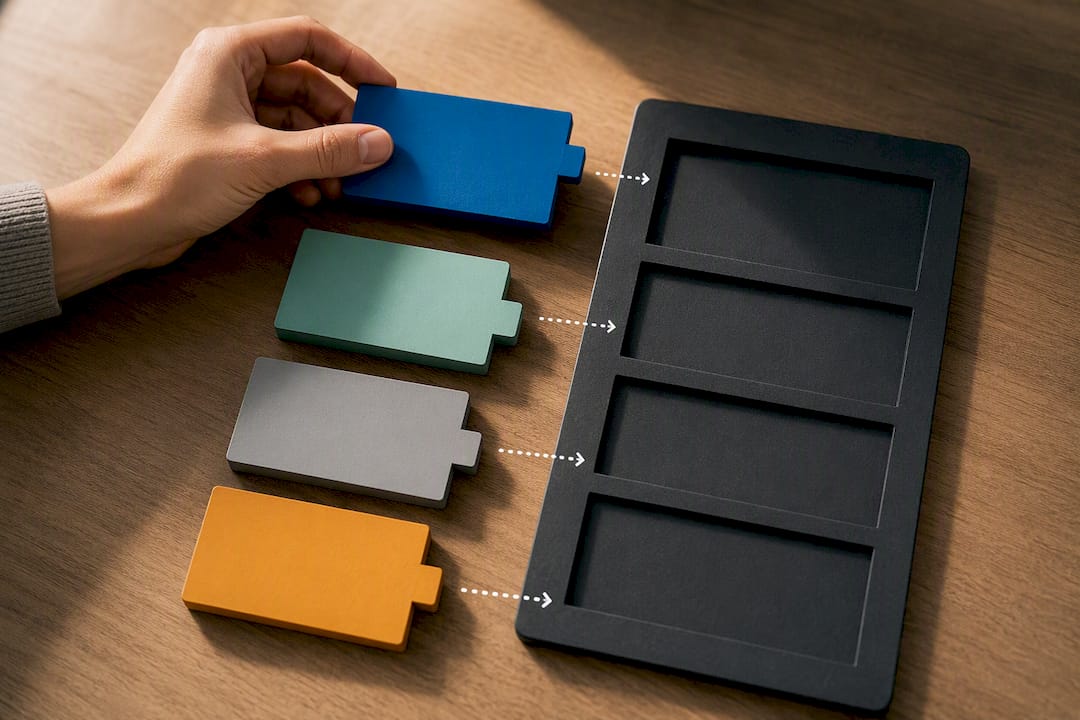
Each of these follows hook, value, proof, close. Swap the bracketed sections for your own details, and adjust length by trimming or expanding the value and proof blocks. They lean on the kind of modular reuse LinkedIn’s guide to ATS-friendly templates recommends, where the frame stays but the content changes per application.
1. Experienced hire, same field
Hook: “I’m applying for the [Job Title] role at [Company] because my seven years in [specific field] line up directly with what your posting describes.”
Value: “In my current role, I manage [specific responsibility from the JD], using [named tool or skill from the posting] to [specific outcome].”
Proof: “Last year, I [specific accomplishment with a number], which [tie the result back to a JD requirement].”
Close: “I’d welcome the chance to talk about how that experience applies to [Company]'s [specific goal or challenge mentioned in the posting].”
Customize the field name, the tool, and the number every time. Everything else can stay.
2. Career changer
Hook: “My background in [previous field] doesn’t look like a typical path to [Job Title], but the overlap is bigger than it appears.”
Value: “In [previous role], I built [transferable skill], which maps directly onto [specific JD requirement].”
Proof: “When I [specific project or accomplishment], the result was [number or outcome], and the skills behind it are the same ones your posting lists under [requirement].”
Close: “I’d like to bring that same approach to [Company], starting with [specific team or project if known].”
For a career change, spend more words in the value section explaining the connection. That’s the part doing the persuading.
3. Entry-level or recent graduate
Hook: “I’m excited to apply for [Job Title] at [Company], where I can put my coursework in [relevant subject] and my internship experience to work right away.”
Value: “During my internship at [organization], I used [specific tool or skill from the JD] to [specific task].”
Proof: “That work contributed to [specific result, even a small one], and it’s the kind of hands-on experience I’d bring to [Company].”
Close: “I’d welcome the opportunity to discuss how my background fits your team’s needs.”
Entry-level letters can run closer to 250 words. There’s less history to draw from, and padding it out reads worse than being concise.
Need more variety before you commit to a draft? Our examples of customized cover letters that get interviews shows a few more angles, including one for someone jumping between industries entirely.
Saving, Uploading, and Testing Your File Before You Apply
The best-written letter still fails if the file itself confuses the system reading it.
- Save as DOCX or a text-based PDF. Never submit a scanned image or a PDF exported from a design tool that flattens text into pixels; the ATS can’t read pixels.
- If the application portal has a text box for a cover letter, paste your text in directly rather than relying on the attachment alone. Some systems parse only the pasted field.
- When both an upload option and a text box appear, do both. Attach the file and paste the key lines, including your top keyword-backed sentence from the proof paragraph.
- Run a quick plain-text check. Paste your letter into Notepad or a similar bare editor. If the paragraph order breaks or characters turn into symbols, your formatting has a problem the ATS will hit too.
- Preview any links before submitting. A hyperlinked portfolio or LinkedIn URL should show as full plain text somewhere in the letter, since some parsers strip embedded links entirely.
A tool like AmmarAI’s keyword-based rewriter can help you double-check keyword phrasing against a posting before you finalize the file, which is a useful second pass if you’re unsure whether your wording is close enough to the original job description.
When a Cover Letter Is Worth Writing (and When to Skip It)
Include one whenever the application asks for it. Skipping a requested cover letter reads as either laziness or a lack of attention to instructions, and both cost you before your resume is even opened.
Beyond that requirement, a cover letter earns its place when you have something the resume can’t say cleanly:
- You’re changing industries and need to connect the dots explicitly.
- You have a gap, a career pause, or a nonlinear path that benefits from context.
- The posting mentions something specific about the company’s mission or a current project you can speak to directly.
- The role is competitive enough that a well-written letter functions as a tie-breaker between similar candidates.
Skip it only when a portal explicitly states that attachments beyond the resume aren’t reviewed, which does happen with some high-volume applicant systems. When you do write one, don’t repeat your resume bullets verbatim. Use the letter to add the narrative your resume format can’t hold: why this role, why now, why you.
Your Pre-Submit Checklist Before You Hit Send
Run through this in order, every time. It takes under five minutes.
- Check formatting. No headers, footers, tables, or images. Single column, standard font, 1-inch margins.
- Check keyword coverage. Confirm 4 to 6 exact terms from the job posting appear, each attached to a real example.
- Check personalization. At least one sentence should mention something specific to the company, not just the role title.
- Read it aloud once. Awkward phrasing you’d never say out loud is easy to catch this way and hard to catch by silent reading.
- Paste into a plain-text editor to confirm nothing scrambles.
- Confirm the file type matches the application instructions, and that any links appear as readable plain text.
Cover letters that skip a technical check are a meaningful part of why an estimated 75% of resumes get rejected by ATS filters before a recruiter ever sees them, and a badly formatted cover letter can drag down an otherwise strong application the same way.
Why the Modular Method Beats Writing From Scratch Every Time
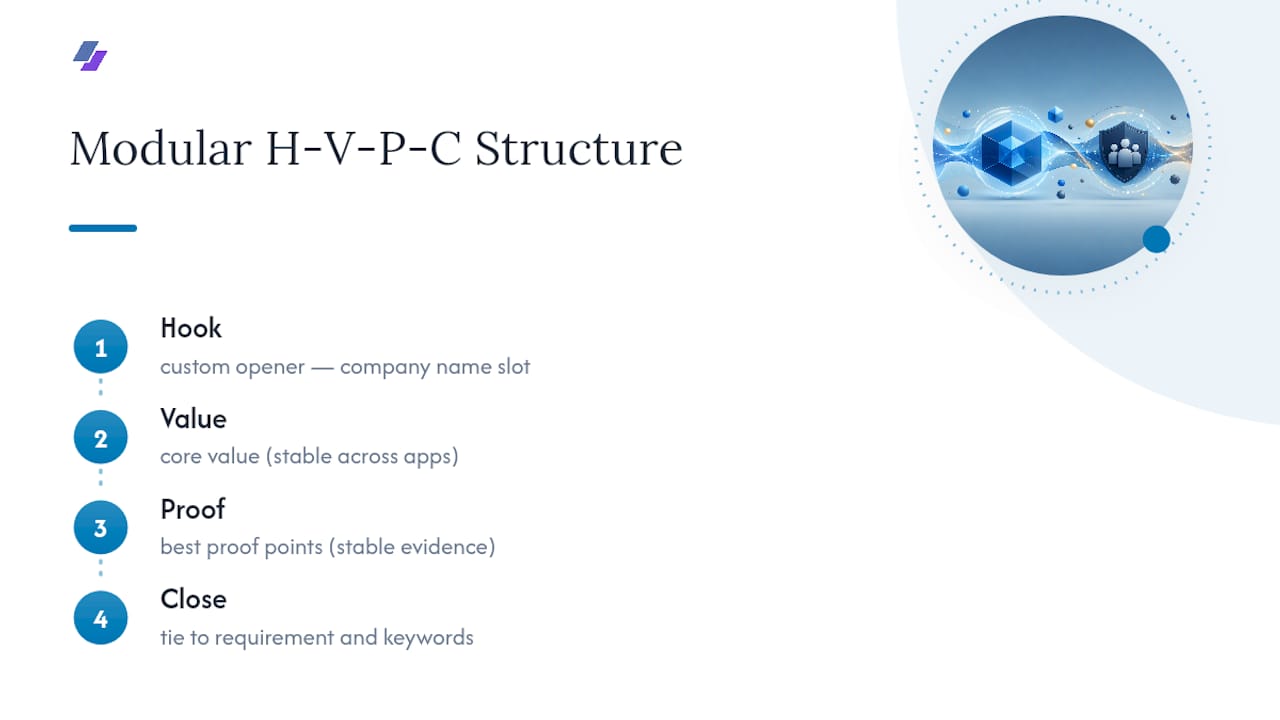
Most advice on cover letters treats every application like a blank page, and that’s exactly why so many job seekers either skip the letter or dash off something generic at 11 p.m. before a deadline. The hook, value, proof, close structure isn’t a gimmick. It’s a way to lock in the parts of your story that don’t change (your core value, your best proof points) while leaving clear slots for the parts that must change every time (the company name, the specific requirement, the keyword pairing).
The mistake I see most often isn’t bad writing. It’s treating keyword matching as separate from storytelling, when the strongest letters do both in the same sentence. This principle pulls the real signal out of a job description and puts it to work in language a human still wants to read. Adapt the templates above in your own voice. The structure holds; the words are yours.
— Johan
Let JobAlign Draft the Keyword Work for You
Matching a job posting’s exact phrasing across a dozen applications a week is the part of this process that burns the most time, and it’s also where most of the mistakes above happen. JobAlign syncs with your LinkedIn profile, reads the job description you’re targeting, and pulls out the hard skills and phrasing worth including, then builds an ATS-compatible resume around it. While some platforms focus on resume generation, the keyword extraction and formatting logic applies directly to the cover letter you pair with it: pull terms from the same job posting, keep the format clean, and skip the guesswork on which phrases matter. If you’re applying to more than one or two roles a week, start with a free resume generated from your LinkedIn profile and use the keyword list it surfaces as the backbone of your next cover letter.
Sources
FAQ
Does the Cover Letter Actually Go Through ATS?
Some employers run cover letters through the same parsing pipeline as resumes, and some don’t, so treat every letter as if it will be scanned. Clean formatting and body-text contact info protect you either way.
Is an 80% Keyword Match a Good ATS Score?
There’s no universal scoring standard across ATS platforms, so treat any percentage a tool gives you as a rough directional signal, not a guarantee. Focus instead on covering the 4 to 6 most repeated, most specific terms from the job posting with real supporting examples.
Do Cover Letters Need to Be ATS-Friendly Even When Optional?
Yes, whenever you submit one. An optional letter with broken formatting or missing contact info can hurt you more than skipping it, since it signals carelessness rather than effort.
How Do I ATS-Proof My Resume and Cover Letter Together?
Use the same rules for both: single column, standard fonts, no headers or footers, and contact information placed in the body text rather than a header. Tools like JobAlign apply this formatting automatically when generating a resume from your LinkedIn profile, which keeps both documents consistent.
What Should I Avoid Putting in an ATS Cover Letter?
Skip tables, text boxes, images, logos, and any contact information placed in a header or footer, since these commonly get dropped or scrambled during parsing.