Build a Resume Template for Mass Applying in 2026

A mass application resume template is a pre-built, category-specific document that lets you apply to dozens of jobs without starting from scratch each time. The standard industry term for this practice is “high-volume job searching,” and the template system is what makes it sustainable. Over 97% of Fortune 500 companies use Applicant Tracking Systems to screen candidates before a human ever reads a resume. That means your template must pass a machine before it reaches a recruiter. When you build resume template for mass applying correctly, with 3–5 category-specific bases, you can cut per-application tailoring time from 45 minutes down to 8–12 minutes without sacrificing ATS compatibility.
What do you need before building mass-application resume templates?
Preparation separates a template system that works from one that wastes your time. Before you write a single bullet point, gather the raw materials that will feed every template you create.

Collect job descriptions first. Pull 15–20 postings from your target role categories. Read them side by side and highlight the phrases that appear repeatedly. Those repeated phrases are your keyword pool. ATS systems score resumes by matching your language to the job description, so keyword alignment is not optional.
Choose an ATS-friendly format. Standard fonts, clear layouts, and clean section headers are non-negotiable. Avoid tables inside your work experience section, text boxes, headers and footers with contact info, and graphics of any kind. ATS parsers read left to right, top to bottom, and anything outside that flow gets dropped.
Here is a quick comparison of format choices and their ATS impact:
| Format element | ATS-safe choice | What to avoid |
|---|---|---|
| Font | Arial, Calibri, Georgia | Decorative or script fonts |
| Layout | Single column | Multi-column or sidebar layouts |
| File type | .docx or plain PDF | Image-based PDFs |
| Section headers | Standard labels (Experience, Skills) | Creative labels (My Story, What I Do) |
| Contact info | Body text, top of page | Header/footer fields |
Use keyword scanning tools. AI resume builders compare your draft to a job description and flag missing terms. They are useful for spotting gaps, but they require manual review. AI-generated suggestions can miss context or insert phrases that do not accurately reflect your experience. Use them as a first pass, not a final answer.
How to build effective base resume templates for different job categories
The goal is to create 3–5 base templates, each pre-loaded with the keywords, phrasing, and achievements most relevant to a specific job category. Think of each base as 80% complete before you even open a job posting.
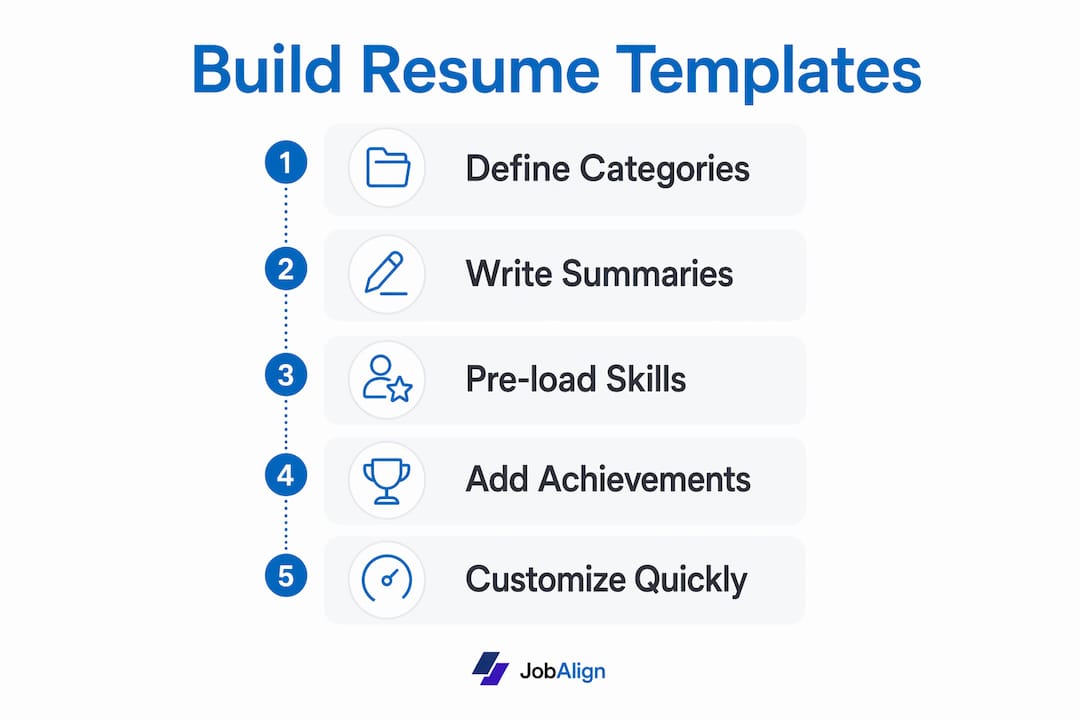
Step 1: Define your job categories
Group your target roles into distinct buckets. A marketing professional might create separate bases for content marketing, paid media, and brand management. A software engineer might split by backend, full-stack, and DevOps. Each category has its own keyword set and recruiter priorities.
Step 2: Write a targeted summary for each base
Your summary sits at the top of the resume and is the first thing both ATS and recruiters read. Write a 3-sentence summary that names your specialty, your years of experience, and one quantified result. For a content marketing base, that might read: “Content marketing manager with 6 years building editorial programs for B2B SaaS brands. Grew organic traffic 140% in 18 months through SEO-led content strategy. Experienced in managing distributed writing teams and editorial calendars.”
Step 3: Pre-load role-specific skills and keywords
Create a skills section for each base that reflects the keyword pool you extracted from job descriptions. For a paid media template, that list includes terms like Google Ads, Meta Ads Manager, ROAS, conversion tracking, and A/B testing. Pre-loading category-specific keywords into your base means you are already 70–80% keyword-matched before you read a single posting.
Step 4: Write achievement bullets with placeholders
Write 6–8 strong achievement bullets per role in each base. Use the format: action verb + task + quantified result. Then mark 2–3 bullets per role as “swap zones,” meaning these are the bullets you will replace or adjust for each specific application. Label them clearly in your working document so you never accidentally leave a placeholder in a submitted resume.
Pro Tip: Limit yourself to 5 base templates maximum. More than that becomes unmanageable, and quality drops. If a new role category comes up often enough, retire the weakest base and build a fresh one.
How do you customize your base template quickly for each job?
Speed without sloppiness is the whole point. A structured customization workflow combining AI tools and manual review gives you both. Here is the process we recommend:
- Pick the right base. Match the job posting to your closest category template. If a role is 70% content and 30% paid media, use your content base and pull in 1–2 paid media bullets.
- Swap the job title and company name. Update your summary to name the specific role and company. “Seeking a Content Marketing Manager role at [Company]” becomes “Content Marketing Manager with a track record of results relevant to [Company’s] editorial goals.”
- Mirror the job description language exactly. If the posting says “cross-functional collaboration,” use that phrase. Do not paraphrase. ATS systems match strings, not synonyms.
- Replace your swap-zone bullets. Pull 2–3 bullets from the job description’s required responsibilities and write achievement bullets that directly address them. Each bullet needs a number: percentage, dollar amount, or volume.
- Run a keyword gap check. Paste your resume and the job description into an AI tool. Review the flagged gaps and add missing terms where they honestly apply to your experience.
- Save a new file for each application. Name it “FirstName_LastName_CompanyName_Role.docx.” Never overwrite your base.
Beyond the workflow, avoid these common mistakes during customization:
- Leaving the generic summary from your base unchanged
- Forgetting to update the job title in the header if you list a target role
- Submitting a .pdf when the posting asks for .docx
- Copying bullets verbatim from the job description without tying them to your results
Track every application. A simple spreadsheet with columns for company, role, template used, date sent, and response received is enough. Tracking applications this way lets you see which templates generate callbacks and which need reworking. That data is more useful than any generic advice.
What mistakes should you avoid with mass application resume templates?
The biggest mistake is treating “mass applying” as a reason to send the same resume everywhere. Generic single resumes reduce response rates because they fail both ATS keyword matching and recruiter relevance checks. A template system only works if each base is genuinely category-specific.
The second mistake is over-customizing to the point where you lose efficiency. If you spend 45 minutes on every application, you have not built a system. You have just built a very slow process. The swap-zone method described above keeps customization focused and fast.
Watch out for these additional pitfalls:
- Trusting AI output without reading it. AI-generated resume content must be reviewed carefully. It can introduce inaccurate phrasing or overstate your experience. You are responsible for every word on your resume.
- Ignoring ATS formatting rules. A beautifully designed resume that an ATS cannot parse is invisible to recruiters. ATS-friendly formatting is the foundation, not an afterthought.
- Letting bases go stale. A template you built six months ago may be missing skills you have since gained or keywords that have shifted in your industry.
Pro Tip: Schedule a monthly 30-minute review of each base template. Add new achievements, update your skills list with any tools or certifications you have earned, and check whether the keyword pool from recent job postings has shifted. Recruiters and ATS systems reward current resumes.
Hiring teams now use AI candidate screening to filter applications at scale. That means your resume competes against software before it reaches a person. Staying current with how those systems score resumes is not optional for high-volume job seekers.
Key Takeaways
A category-specific template system is the most efficient way to apply at volume without sacrificing ATS performance or recruiter relevance.
| Point | Details |
|---|---|
| ATS is universal | Over 97% of Fortune 500 companies use ATS, so every resume must be machine-readable first. |
| Templates cut time dramatically | Three to five category-specific bases reduce tailoring time from 45 minutes to 8–12 minutes per application. |
| Pre-load keywords by category | Extract keywords from 15–20 job descriptions per category and build them into each base before applying. |
| Track and refine | Log every application with the template used and response received to identify which bases perform best. |
| Review templates monthly | Update bases with new achievements and current keywords to maintain ATS competitiveness over time. |
Why I think most job seekers build too few templates, not too many
Most advice tells you to keep things simple and stick to one or two resume versions. I disagree with that, based on what I have seen work in practice. One template cannot honestly represent both a project management role and a business analyst role, even if the skills overlap. The keyword sets are different. The recruiter priorities are different. The ATS scoring grids are different.
The job seekers who get the best response rates maintain 3–5 focused bases and treat them like living documents. They update them after every interview, not just when they start a new search. They use AI tools to check keyword gaps but write every bullet themselves. That combination of speed and personal accuracy is what gets callbacks.
The other thing I have learned: your tracking spreadsheet is your most underrated asset. After 30 applications, you will have real data on which template and which role category generates responses. That data tells you where to focus your energy far better than any generic job search advice. Refine the templates that work. Retire the ones that do not.
If you want to stay current on how ATS systems are evolving, reading about AI in recruitment gives you a recruiter-side view of what these tools actually prioritize. That perspective changes how you write bullets and structure your bases.
— Johan
How Jobalign makes building ATS-ready templates faster
Jobalign is built specifically for job seekers who need tailored resumes for each application without spending hours on manual edits. It syncs with your LinkedIn profile, extracts your relevant experience, and generates ATS-optimized resumes matched to specific job descriptions. Jobalign’s technology reports an 87% ATS pass rate, which reflects how precisely it aligns resume content to job posting requirements. You can generate resumes across multiple role categories, one per posting, making it a practical fit for anyone running a high-volume search. If you want to see what category-specific, ATS-ready output looks like before committing, the resume examples by job page shows real templates organized by role.
FAQ
What is a base resume template for mass applying?
A base resume template is a category-specific document pre-loaded with relevant keywords, a targeted summary, and role-specific achievement bullets. You customize 20–30% of it per application rather than rebuilding from scratch.
How many base templates should I create?
Three to five base templates cover most job search scenarios. More than five becomes difficult to maintain, and quality typically drops as the number grows.
Do ATS systems penalize you for using templates?
ATS systems do not detect whether you used a template. They score resumes based on keyword match, formatting readability, and section structure. A well-built template actually improves your ATS score by pre-loading the right terms.
How often should I update my resume templates?
Update each base template at least once a month. Add new achievements, refresh your skills list, and check whether keyword trends in your target category have shifted since you last applied.
Can AI tools build my base templates for me?
AI tools can draft content and flag keyword gaps, but every bullet point requires manual review for accuracy. AI-generated content can misrepresent your experience or insert phrases that do not reflect what you actually did.