Fix My Resume: Get ATS-Ready Results Fast

The fastest way to fix your resume is to run it through an AI resume optimizer that reads both your existing resume (or LinkedIn profile) and the target job description, then generates a tailored, ATS-ready document in minutes. JobAlign does exactly that. According to JobAlign’s product data, a large majority of resumes are rejected by ATS before a human ever reads them, and JobAlign’s optimization claims a high ATS-pass rate for resumes processed through its pipeline. That gap is the whole problem and closing it is the whole point.
What you can do right now:
- Sync your LinkedIn profile or upload your current resume
- Paste the job description for the role you want
- Generate your ATS-optimized PDF in minutes
Table of Contents
- How does JobAlign’s AI turn your resume into an ATS-ready document?
- Three quick steps to fix your resume right now
- What exactly does the optimizer change to pass ATS filters?
- Practical tips that get better results from any AI resume fix
- What proof exists that AI-driven optimization increases interview invites?
- How long does a resume fix take, and what should you expect?
- What does JobAlign cost, and is there a free option?
- What should you know about privacy before uploading your resume?
- What results do users report after optimizing with JobAlign?
- Should you combine AI optimization with human editing?
- How does the AI tailor resumes across career levels and industries?
- Key Takeaways
- Why ATS optimization matters more than resume polish
- Your fastest path to an interview-ready resume
- Useful sources
How does JobAlign’s AI turn your resume into an ATS-ready document?
The process runs in three stages, and each one targets a specific reason resumes get rejected.
Stage 1: Input. You either sync your LinkedIn profile or upload your existing resume, then paste the job description (or drop in the job URL). This gives the AI two data sources: your experience and the employer’s exact requirements.
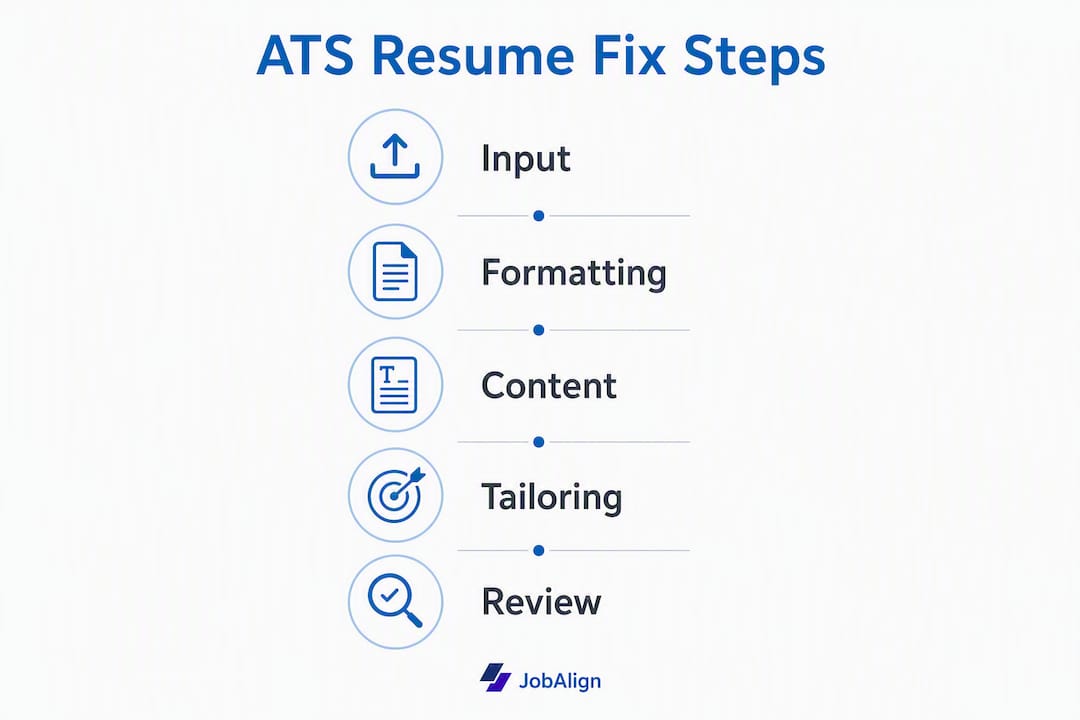
Stage 2: Processing. The AI extracts keywords from the job description, maps them against your skills and experience, rewrites duty-heavy bullets into achievement-focused statements, and normalizes your formatting into a machine-readable layout. It also checks section headings, removes graphics and text boxes that break ATS parsing, and aligns your job titles with standard industry terminology.
Stage 3: Output. You receive an ATS-compatible PDF with a match score that shows how closely your resume aligns with the job posting. A higher score means more of the employer’s required keywords appear in the right places, which directly improves how an ATS ranks your application.
What the match score tells you: It reflects keyword coverage and placement, not just keyword presence. A score of 85%+ generally indicates strong alignment with the posting’s requirements.
Modern hiring prioritizes measurable results, role-specific skills, and ATS-friendly formatting over generic duty lists. The AI pipeline addresses all three simultaneously, which is why it outperforms manual editing for most job seekers.
Three quick steps to fix your resume right now
You can have a revised, optimized resume ready in under ten minutes.
-
Upload your resume or sync LinkedIn. If you use LinkedIn sync, JobAlign pulls your profile data directly, which takes about two minutes. If you upload a file, use a clean .DOCX or PDF with no tables or text boxes — messy formatting confuses the import and reduces output quality. Garbage in, garbage out.
-
Paste the full job description. Copy the entire posting, not just the title. The AI needs the responsibilities, required skills, and preferred qualifications sections to extract the right keywords. Pasting a partial JD produces a partial match. If the tool supports a job URL scan, use it as a backup, but a full paste gives better keyword extraction.
-
Generate, review, and download. Once the AI produces your draft, run a quick ATS readability check: open the PDF, select all text, and confirm it copies cleanly into a plain text editor. If the text copies correctly, the file is machine-readable. Then download and apply.
Pro Tip: Paste the job description in full, including the “nice to have” section. Those soft requirements often contain secondary keywords the ATS scores for, and including them can push your match score meaningfully higher.
What exactly does the optimizer change to pass ATS filters?
The AI makes two categories of edits: formatting fixes and content fixes. Both matter.
Formatting fixes
ATS parsers are not browsers. They read left to right, top to bottom, and they fail on anything that breaks that flow. The recommended file types are .DOCX or a properly formatted PDF. Avoid multi-column layouts, text boxes, images, headers/footers with contact info, and decorative fonts.

| Element | ATS-Safe Standard |
|---|---|
| Body font size | 10–12 pt |
| Header font size | 14–16 pt |
| Recommended fonts | Arial, Calibri, Times New Roman |
| Layout | Single-column |
| File type | .DOCX or clean PDF |
| Section headings | Standard labels (Experience, Education, Skills) |
Font and margin guidance from resume professionals consistently points to the same range: 10–12 pt body text, 14–16 pt headers, and fonts that every system renders correctly.
Content fixes
- Do: Use the exact job title from the posting in your summary or headline
- Do: Quantify achievements (“Reduced onboarding time by 30%,” not “Improved onboarding”)
- Do: Place role-specific keywords in both the Skills section and within experience bullets
- Do: Use standard section labels ATS systems recognize
- Don’t: Embed keywords in images, charts, or text boxes
- Don’t: Use creative section names like “Where I’ve Been” instead of “Experience”
- Don’t: List responsibilities without outcomes
A clean, professional layout increases both ATS parsing success and recruiter scan time. Recruiters spend an average of seconds on a first pass, so visual clarity matters as much as keyword coverage.
Practical tips that get better results from any AI resume fix
The AI does the heavy lifting, but these five habits sharpen the output.
- Lead with numbers. Every bullet that describes a result should have a metric attached. Revenue, percentages, team size, time saved — any number beats no number.
- Match the job’s language exactly. If the posting says “cross-functional collaboration,” use that phrase, not “worked with other teams.” ATS systems match strings, not synonyms.
- Cut the objective statement. Replace it with a two-line professional summary that mirrors the job’s top two requirements.
- Keep it to one or two pages. One page for under ten years of experience, two pages for senior roles. Longer resumes dilute keyword density.
- Add a “Digital & AI Skills” section if the role involves any tech tools. Listing specific platforms (Salesforce, Tableau, Python) gives the ATS concrete matches and signals to recruiters that you’re current.
Pro Tip: To convert a responsibility into an achievement, use this formula: Action verb + what you did + measurable result. Before: “Responsible for managing social media accounts.” After: “Grew Instagram following by 4,200 followers in six months by launching a weekly video series.” The second version passes ATS keyword checks and gives a recruiter a reason to call.
Pro Tip: If you have a career gap, add a one-line entry under the relevant dates: “Career Break — Freelance consulting / caregiving / professional development.” ATS systems parse it as a date-filled entry, and recruiters see transparency rather than a red flag.

Employers are increasingly searching for evidence of skills and measurable results. A resume that shows quantified outcomes consistently outperforms one that lists duties.
What proof exists that AI-driven optimization increases interview invites?
The numbers JobAlign cites are company-provided, so treat them as brand claims rather than independent research. That said, they reflect a real structural problem. JobAlign reports that approximately 75% of resumes are filtered out by ATS before reaching a recruiter, and that its optimization process achieves an 87% ATS-pass rate for processed resumes. The gap between those two figures is the practical case for using the tool.
“I applied to dozens of jobs with my old resume and heard nothing. After optimizing with JobAlign, I started getting interview requests within the first week.” — JobAlign user, as shared on the platform
For readers who want a deeper look at how the optimization process works, JobAlign’s step-by-step AI guide walks through keyword placement, tailoring logic, and template selection in detail.
How long does a resume fix take, and what should you expect?
The initial AI-generated draft takes minutes. Plan for an additional five to ten minutes to review, tweak wording, and verify the output.
After you download, check these four things:
- ATS readability: Copy all text from the PDF into a plain text editor. If it pastes cleanly with no garbled characters, the file parses correctly.
- Keyword presence: Scan the resume for the five to eight most important terms from the job description. They should appear at least once each, ideally in both the Skills section and an experience bullet.
- Recruiter scan test: Read only the first line of each bullet. If those lines tell a coherent story of impact, a recruiter’s six-second scan will too.
- Human review trigger: If you’re applying to a senior role, a career pivot, or a highly competitive position, consider a professional resume review alongside the AI output. AI handles structure and keywords well; a human reviewer catches tone, narrative arc, and industry nuance.
Realistic expectations: an optimized resume improves your odds of passing ATS filters, but it does not guarantee interviews. Quality of experience, competition level, and application volume all factor in.
What does JobAlign cost, and is there a free option?
JobAlign offers a free option to generate an initial ATS-optimized resume, so you can see the output before committing to anything. Paid credit packs unlock personalized resume generation for each job posting, full template access, and downloads.
When a credit pack makes sense:
- You’re applying to more than a handful of roles and need a unique, tailored resume for each one
- You want access to the full library of ATS-optimized templates
- You’re targeting roles across different industries or functions and need fast tailoring for each
For full plan details and current pricing, visit the JobAlign pricing page.
What should you know about privacy before uploading your resume?
Uploading a resume or syncing LinkedIn means sharing personal data with a third-party platform. Here’s what to check before you do.
LinkedIn sync permissions:
- JobAlign’s LinkedIn sync requests read-only access to your profile data
- It does not post on your behalf or modify your LinkedIn profile
- You can revoke access at any time through LinkedIn’s “Permitted Services” settings
Before uploading any resume file:
- Review the platform’s privacy policy for data retention periods
- Check whether you can export your data and delete your account on request
- Avoid uploading documents that contain sensitive identifiers beyond standard resume content (e.g., full Social Security numbers, passport numbers)
US privacy expectations under frameworks like the California Consumer Privacy Act (CCPA) give you rights to access, delete, and opt out of the sale of your personal data. JobAlign’s privacy policy is the authoritative source for what applies to your account specifically.
What results do users report after optimizing with JobAlign?
JobAlign reports a high ATS-pass rate for resumes processed through its platform (company claim). Users consistently describe the same pattern: a long stretch of silence with an unoptimized resume, followed by a noticeable uptick in recruiter responses after optimization. The change is most pronounced for job seekers who were applying to roles where their experience was a strong match but their resume wasn’t surfacing in ATS results. That’s the scenario the tool is built for.
Should you combine AI optimization with human editing?
AI handles the structural and keyword work reliably. What it does less well is narrative judgment: whether your career story reads compellingly, whether your summary positions you correctly for a pivot, or whether the tone fits a specific industry culture. For most standard applications, the AI output is sufficient. For senior roles, board-level positions, or significant career changes, pairing the AI draft with a professional resume review adds a layer of judgment the algorithm can’t replicate. Think of it as AI for the 80% and a human for the 20% that requires context.
How does the AI tailor resumes across career levels and industries?
The AI adapts based on the job description you paste, not a fixed template. A software engineer posting triggers different keyword extraction than a marketing manager posting. Entry-level resumes get structured to emphasize education, internships, and transferable skills when experience is thin. Senior-level resumes get structured to lead with leadership scope, business impact, and strategic outcomes. JobAlign publishes role-specific examples for positions like developer roles and HR managers that show how keyword sets and bullet structures shift by function. The core principle stays the same across levels: match the language of the posting, show measurable results, and format for machine readability first.
Key Takeaways
AI-powered resume optimization closes the gap between a strong candidate and an ATS-rejected application by matching your experience to the job description’s exact language and formatting requirements.
| Point | Details |
|---|---|
| ATS rejection is the core problem | JobAlign reports that approximately 75% of resumes are rejected by ATS before a recruiter sees them. |
| AI fixes both structure and content | The optimizer rewrites bullets, extracts keywords, and normalizes formatting in one pass. |
| Three steps, minutes to complete | Sync LinkedIn or upload resume, paste the full job description, generate and verify the PDF. |
| Verify before you send | Copy the PDF text into a plain text editor to confirm ATS readability after download. |
| JobAlign as your starting point | JobAlign’s free option generates an initial ATS-optimized resume; paid credits unlock a tailored resume per application. |
Why ATS optimization matters more than resume polish
Most job seekers spend their energy on how a resume looks to a human. That’s the wrong starting point. A beautifully designed resume with a two-column layout, custom icons, and a stylish header font will score near zero in most ATS systems because the parser can’t read it. The formatting that impresses a human eye is often exactly what breaks machine parsing.
What we’ve seen, working through the data on how ATS systems score applications, is that the keyword gap is almost always larger than candidates expect. You can be genuinely qualified for a role and still get filtered out because you used “managed a team” where the posting said “people management” or “led cross-functional projects” where the system was scanning for “stakeholder coordination.” These aren’t semantic differences to an ATS. They’re misses.
The practical implication: optimize for the machine first, then refine for the human. An AI tool that reads the job description and maps your experience to its exact language solves the first problem in minutes. The second problem, making your story compelling to a recruiter, is where your own judgment and, when stakes are high, a human reviewer earns its place.
Your fastest path to an interview-ready resume
Most job seekers spend hours manually tweaking a resume that still gets filtered out before anyone reads it. JobAlign gives you a tailored, ATS-optimized resume in minutes by syncing your LinkedIn profile and analyzing the exact job description you’re targeting. No guesswork, no generic templates, no starting from scratch for every application. Sync through the browser extension and your first LinkedIn-only resume is free. Credit packs let you tailor a unique version for the roles you apply to, one credit per posting. Start your first optimized resume now and see your match score before you apply.
Useful sources
- ATS Resume Guide 2026: Beat the Filters | JobAlign — deep-dive on ATS parsing, keyword placement, and template choices
- How to Optimize Your Resume with AI: the step-by-step guide (2026) | JobAlign — full walkthrough of the AI tailoring process
- How to Make an ATS Resume: 2026 Step-by-Step Guide | JobAlign — file types, formatting rules, and template guidance
- LinkedIn to Resume: Export Your Profile in 2 Minutes | JobAlign — LinkedIn sync workflow and export instructions
- Resume trends: what’s in, what’s out, and what works | Monster — employer expectations and hiring trends for 2026
- 10 resume writing tips to help you land a position | Indeed — practical writing guidance including quantifying achievements and tailoring content