Jobalign.com Alternatives: Best ATS Resume Tools 2026

If your top priority is generating unlimited, ATS-optimized resumes tailored to each job posting using your LinkedIn profile, Jobalign is the recommended pick. It syncs directly with LinkedIn, extracts job-specific keywords from each job description, and produces single-column PDF resumes built for ATS parsing. Jobalign claims an 87% ATS pass rate (vendor-stated), which matters when you consider that roughly 75% of resumes are rejected by automated filters before a human ever reads them.
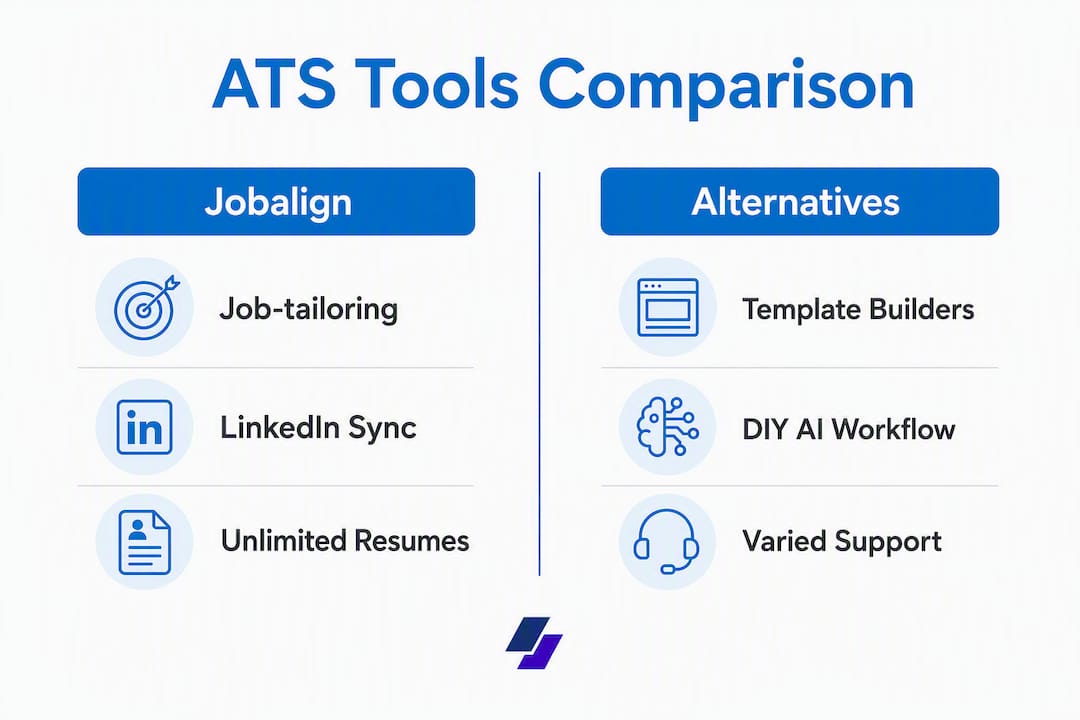
That said, it is not the only path. Here are the main approaches this article covers:
- LinkedIn-sync AI builders (Jobalign): best for high-volume, per-job tailoring with minimal manual effort
- AI resume builders, template-led (tools like Rezi, Zety, Resume.io, Enhancv): best for design control with AI writing assistance
- Template-first resume builders: best for design-focused roles where visual presentation matters
- DIY AI workflow (ChatGPT + prompts): best for budget-conscious candidates comfortable with prompt engineering
Table of Contents
- How do these jobalign.com alternatives compare at a glance?
- How do you pick the right alternative for your situation?
- Why Jobalign stands out for ATS-focused job seekers
- What are the real trade-offs of each alternative approach?
- What kind of support does each approach offer?
- How well do these tools integrate with job application platforms?
- What do user reviews say about these tools?
- How often do these tools update, and what does ongoing support look like?
- What advanced AI features go beyond keyword insertion?
- Key Takeaways
- When I’d choose Jobalign over the alternatives
- Jobalign gets you from LinkedIn to ATS-ready PDF in minutes
- Sources and suggested next reading
How do these jobalign.com alternatives compare at a glance?
| Category | Best for | ATS pass improvement | LinkedIn import | Job-specific tailoring | Unlimited resumes | Templates | Export formats | Pricing / free trial | Privacy & data | Ease of use |
|---|---|---|---|---|---|---|---|---|---|---|
| LinkedIn-sync AI builders (Jobalign) | High-volume applicants, LinkedIn-heavy profiles | 87% pass rate (vendor-stated) | Yes, direct sync | Yes, per-job keyword insertion | Yes, unlimited | ATS-optimized, single-column | PDF (ATS-ready) | Free plan + paid subscription | LinkedIn OAuth; data used for resume generation | Very easy, minimal setup |
| AI resume builders, template-led (Rezi, Zety, Resume.io, Enhancv) | Candidates wanting AI writing + design variety | Varies by tool; no published benchmark | Manual import or paste | Keyword suggestions, varies | Limited on free tier | Wide variety, some ATS-risky | PDF + Word | Freemium to ~$25/month | Standard account data; no LinkedIn sync | Easy to moderate |
| Template-first resume builders | Design-focused roles (creative, marketing) | Lower; visual templates often fail ATS parsing | Manual paste | Minimal or none | Usually limited | High design variety | PDF, sometimes Word | Free to ~$20/month | Standard account data | Easy |
| DIY AI (ChatGPT + prompts) | Budget-conscious, tech-savvy candidates | Depends entirely on prompt quality and template used | Manual copy-paste | Yes, with the right prompts | Unlimited (no platform limit) | None built-in; use your own | Any format you build | Free (ChatGPT free tier) or ~$20/month (Plus) | No data stored by default | Moderate; requires prompt skill |
How to read this table: If ATS passability is your primary concern, prioritize the first two rows. Template-first builders are great for portfolios and creative roles, but complex columns and images are a primary reason ATS parsing fails. The DIY ChatGPT workflow is genuinely powerful but only if you already know how to write effective prompts and use a clean single-column template.
How do you pick the right alternative for your situation?
Choose the tool that matches your workflow: LinkedIn-sync builders for fast, repeatable tailoring; template builders for design control; DIY ChatGPT for low-cost customization. Here is a practical checklist:
- ATS pass focus: Does the tool produce single-column, text-first PDFs? That formatting detail alone significantly affects parsing accuracy.
- LinkedIn or profile import: Can you pull your existing experience in one click, or do you paste manually every time?
- Job-description tailoring: Does the tool analyze the specific job posting and insert matching keywords, or does it only suggest generic skills?
- Export formats: PDF and Word are both standard. Confirm the PDF is not image-based.
- Resume volume limits: If you apply to 20+ jobs per month, a per-resume pricing model gets expensive fast.
- Pricing model: Free tiers are useful for testing, but check what is locked behind a paywall before committing.
- Privacy and data handling: Understand what happens to your LinkedIn data after you sync. Look for a clear data retention policy.
- Integration with job boards: Dedicated AI resume builders typically offer more granular keyword control than job board native builders, which optimize for the board’s own database schema.
- Customer support: Is there live chat, email, or only a help center? Test it before you pay.
- Trial or refund policy: A free trial lets you run an ATS parse test before spending money.
Questions to ask before you buy:
- Can I import my LinkedIn profile directly, or do I paste manually?
- Is the PDF output single-column and text-first?
- Can I generate unlimited tailored resumes, or is there a cap?
- Does the tool extract keywords from the specific job description I paste in?
- What is the data retention policy for my LinkedIn credentials?
- Is Word export available alongside PDF?
- How quickly does support respond to a billing or technical issue?
- Is there a free tier or refund window to test ATS output before paying?
Red flags to avoid: heavy use of columns or graphics in templates, no job-specific keyword insertion, missing Word export, and no clear statement on how long your profile data is stored.

Why Jobalign stands out for ATS-focused job seekers
Jobalign is the right pick when your priority is fast, repeatable, LinkedIn-synced, per-job keyword tailoring with ATS-optimized output. Here is what it actually does:
- LinkedIn profile sync: connects via LinkedIn OAuth and pulls your experience, skills, and education automatically
- Job-description keyword analysis: you paste a job posting, and Jobalign extracts the relevant keywords and maps them to your profile
- ATS-ready single-column PDF templates: 15 professional templates built to pass common ATS parsers
- Unlimited tailored resumes: generate a unique resume for every application without extra cost per resume
- In-app PDF export: download immediately in an ATS-compatible format
Vendor-stated metric: Jobalign reports an 87% ATS pass rate for resumes generated through its platform. This is a vendor-stated figure. We recommend pairing it with an independent test: paste your resume into a plain text editor and upload it to a major job board like CareerBuilder to check how the parser reads your content.
Use case 1: You are applying to 30 software engineering roles this month. Manually rewriting your resume for each posting takes hours. With Jobalign, you sync LinkedIn once, paste each job description, and download a tailored PDF in minutes.
Use case 2: You are a recent graduate whose LinkedIn profile is solid but whose resume reads like a job duties list. Jobalign translates your profile entries into accomplishment-oriented, keyword-matched bullets formatted for ATS.
Pro Tip: Before syncing LinkedIn, optimize your LinkedIn profile first. Garbage in, garbage out: a thin LinkedIn profile produces a thin resume, no matter how good the AI is.
On privacy: Jobalign uses LinkedIn OAuth for the sync, meaning it does not store your LinkedIn password. Review the platform’s data retention policy before connecting your account, particularly if you are applying to roles in regulated industries.
What are the real trade-offs of each alternative approach?
AI resume builders, template-led (Rezi, Zety, Resume.io, Enhancv)
These tools combine AI writing assistance with a broader template library. They are a strong fit if you want more control over visual design alongside keyword suggestions.
- Strengths: wide template variety, AI-generated bullet suggestions, Word and PDF export, established user bases with active review communities
- Trade-offs: no direct LinkedIn sync in most cases; keyword tailoring is often suggestion-based rather than automated insertion; some templates use two-column layouts that reduce ATS parsing reliability
- Who it suits: candidates applying to a moderate volume of roles who want design flexibility and are comfortable editing AI suggestions manually
- Pricing: typically freemium with paid plans ranging from roughly $15 to $25 per month; free tiers usually limit downloads
For a direct feature-by-feature look at one of these tools versus Jobalign, the Jobalign vs Rezi comparison breaks down the key differences.
Template-first resume builders
Design-forward tools where the visual output is the main selling point. Useful for creative fields, but carry real ATS risk.
- Strengths: polished, visually distinctive resumes; good for portfolios and design roles
- Trade-offs: graphic-heavy templates often fail ATS parsing; limited or no job-specific keyword insertion
- Who it suits: designers, marketers, or candidates applying to companies that review resumes manually before any ATS screen
- Pricing: free to roughly $20 per month
DIY AI workflow (ChatGPT + prompts)
The most flexible and lowest-cost approach, but it requires skill and discipline to execute well.
- Strengths: free or near-free; fully customizable; works for any role or industry
- Trade-offs: output quality depends entirely on your prompt quality; no built-in ATS template; manual copy-paste into a clean single-column document required every time
How it works:
- Copy your LinkedIn profile text or existing resume into ChatGPT
- Paste the target job description and ask ChatGPT to extract the top 10–15 keywords
- Prompt ChatGPT to rewrite your experience bullets using those keywords in a quantified, accomplishment-first format
- Paste the output into a clean, single-column Word or Google Docs template
- Export as PDF and run an ATS parse test
| Pros | Cons |
|---|---|
| Free or ~$20/month (ChatGPT Plus) | Requires prompt engineering skill |
| Unlimited resumes | No built-in ATS template |
| Full control over tone and content | Time-intensive per application |
| Works for any industry | No LinkedIn sync; manual every time |
Pro Tip: If you want to understand how AI feedback loops can sharpen your resume-job fit over multiple iterations, this breakdown of AI feedback in job searching explains the mechanics clearly.
How we evaluated these tools
We assessed each category across these axes: ATS-readability (single-column PDF output, text-first structure), LinkedIn or profile import capability, job-description keyword matching accuracy, export format validation (PDF and Word), pricing and free trial availability, privacy and data retention disclosures, and support responsiveness.
- Vendor-stated vs. independently verified: metrics like Jobalign’s 87% pass rate are labeled as vendor-stated throughout. We recommend every reader run an independent check.
- How to run a quick ATS parse test: paste your resume text into a plain text editor (Notepad or TextEdit). If the content reads cleanly in order, with no garbled sections, your formatting is likely ATS-safe. Then upload to a job board like CareerBuilder and review how the parser populates your profile fields.
- Background sources: CB Insights competitive data, CareerBuilder platform documentation, Tracxn company profiles, and Jobalign product pages.
“Vendor-stated success metrics should be labeled as vendor-stated and balanced with a simple independent ATS-parse test readers can run.” — Jobalign product resources
What kind of support does each approach offer?
Support quality varies significantly across these categories. Jobalign offers in-app support with a help center and email contact. Template-led AI builders like Rezi, Zety, Resume.io, and Enhancv generally provide live chat on paid plans and email on free tiers, with response times typically ranging from a few hours to one business day. Template-first builders tend to rely on self-serve help centers with slower email support. The DIY ChatGPT workflow has no dedicated support at all: you are on your own, though OpenAI’s help center covers account and billing issues.
If you are mid-application cycle and hit a technical issue, that gap matters. Test support responsiveness during your free trial before upgrading.
How well do these tools integrate with job application platforms?
Jobalign generates a downloadable ATS-ready PDF you upload directly to any job board or company portal. That universal export approach means it works with every platform. Template-led AI builders follow the same model: download and upload manually.
Job boards like CareerBuilder offer their own basic resume builders, but those tools optimize for the board’s internal database rather than per-job keyword tailoring. The HR tech market is fragmented by specialization, so cross-platform PDF export remains the most reliable integration strategy. No resume builder in this comparison offers one-click apply that also tailors the resume per posting, which is why the download-and-upload workflow is still the standard.
What do user reviews say about these tools?
Jobalign’s LinkedIn-sync and per-job tailoring approach draws positive feedback from high-volume applicants who value speed and ATS focus. Template-led builders like Enhancv and Resume.io consistently earn strong ratings for design quality and ease of use, though some users flag that free tier limits are restrictive. Rezi users frequently cite its ATS scoring feature as useful, while noting the interface has a steeper learning curve. Zety receives praise for its guided writing prompts but criticism for aggressive upselling on the free plan.
The DIY ChatGPT workflow has no formal review ecosystem, but career communities on Reddit and LinkedIn regularly share prompt templates and report solid results when paired with a clean single-column template.
How often do these tools update, and what does ongoing support look like?
Jobalign updates its keyword matching logic and templates on a rolling basis, with product changes reflected in the app without requiring user action. Template-led AI builders in this space typically release feature updates quarterly, with changelog notes published in their help centers. Rezi, Zety, Resume.io, and Enhancv all have active development teams and have added AI writing features in recent cycles.
The DIY ChatGPT workflow “updates” automatically as OpenAI improves its models, but your prompt library and template are your responsibility to maintain. If a new ATS standard emerges, you need to update your approach manually. For AI tools aimed at tech job seekers, staying current with model improvements and prompt strategies is part of the workflow.
What advanced AI features go beyond keyword insertion?
Template-led builders have invested heavily here. Rezi offers an AI content score and bullet rewriting suggestions. Enhancv includes an AI-powered achievement generator that prompts you to add quantified results. Zety’s AI assistant suggests phrasing based on your target role. Resume.io provides AI-generated summary and skills sections.
Jobalign’s AI focus is narrower and more targeted: it centers on tailoring your resume to a specific job posting using keyword extraction and insertion rather than general writing assistance. That is a deliberate trade-off. If you want broad AI writing coaching, a template-led builder gives you more options. If you want fast, repeatable, per-job ATS optimization with minimal editing, Jobalign’s focused approach is faster.
The DIY ChatGPT workflow can replicate most advanced writing features with the right prompts, including tone adjustment, accomplishment reframing, and gap analysis, but you have to build and maintain those prompts yourself.
Key Takeaways
For ATS-focused job seekers, the single most important decision is whether you want automated per-job tailoring with LinkedIn sync or manual control over design and writing.
| Point | Details |
|---|---|
| ATS formatting is non-negotiable | Single-column, text-first PDFs parse reliably; columns and graphics cause failures. |
| Jobalign leads for volume tailoring | LinkedIn sync plus per-job keyword insertion generates unlimited ATS-ready resumes fast. |
| Template-led builders add writing AI | Tools like Rezi and Enhancv offer broader AI writing features but require more manual work per application. |
| DIY ChatGPT works if you invest the time | Free and flexible, but output quality depends on your prompt skill and your choice of template. |
| Test before you commit | Run an independent ATS parse test on any tool’s output before upgrading to a paid plan. |
When I’d choose Jobalign over the alternatives
The conventional wisdom in resume advice is that you should spend significant time crafting each application by hand. That advice made sense when you applied to five jobs a month. It does not hold when modern job searching often means 30 to 50 applications in a cycle.
My take: if your LinkedIn profile is reasonably complete and you are applying to roles where keyword matching is the first filter, Jobalign’s automated approach removes the biggest friction point. The LinkedIn sync alone saves meaningful time per application, and the per-job keyword insertion does the work that most candidates skip because it feels tedious.
Where I would lean toward an alternative: if you are applying to creative or design roles where a recruiter reviews your resume visually before any ATS screen, a template-led builder gives you more visual control. If you are on a tight budget and comfortable with prompt engineering, the DIY ChatGPT workflow is genuinely capable. And if you want AI writing coaching beyond keyword matching, tools like Enhancv or Rezi offer that layer.
The mistake most candidates make is treating resume tools as interchangeable. They are not. Pick the one that matches your actual workflow and volume, not the one with the most features.
Jobalign gets you from LinkedIn to ATS-ready PDF in minutes
Most candidates spend more time formatting resumes than writing them. Jobalign flips that: sync your LinkedIn profile once, paste a job description, and download a tailored, ATS-optimized resume in minutes. No manual reformatting, no guessing which keywords to include.
The free plan lets you generate your first tailored resume and see exactly how the LinkedIn sync and keyword matching work before you commit to anything. From there:
- Import your LinkedIn profile with one click
- Paste the job description to trigger keyword analysis
- Download your ATS-ready PDF immediately
If you apply to multiple roles per week, the paid plan’s unlimited resume generation pays for itself quickly. Check Jobalign’s pricing and start with the free resume to see the output quality firsthand.
Sources and suggested next reading
Core research sources used in this article:
- CB Insights: Jobalign alternatives and ATS formatting guidance
- CareerBuilder: job board integrations and resume upload tools
- Tracxn: HR tech market fragmentation and company profiles
- Jobalign product pages and vendor-stated metrics
Jobalign guides for your next steps:
- ATS Resume Guide: Beat the Filters: step-by-step formatting and keyword placement
- How to Make an ATS Resume: practical checklist with single-column PDF examples
- How to Optimize Your Resume with AI: full walkthrough of the AI tailoring workflow
- Resume Optimization: Your Complete ATS Guide: background on what ATS systems actually score
On vendor-stated metrics: treat any tool’s claimed pass rate as a starting point, not a guarantee. Run the plain-text paste test described in the methodology section above on any resume you generate, regardless of which tool you use. That two-minute check tells you more than any vendor benchmark.