2–4 Links Only on an ATS Resume: Copy Ready URLs and 5 Minute Tests

Yes, put links on your resume, but format them as visible, full URLs with a short label rather than hiding them behind clickable text. Two must-dos: label every link (LinkedIn:, Portfolio:) and open the exported file before you apply to confirm the URL is still readable as text. A tool like JobAlign can handle this formatting automatically when it builds your resume from your LinkedIn profile.
TL;DR:
- Including full, visible URLs labeled with clear prefixes ensures ATS systems recognize and parse your links correctly.
- Placing links in the main body under your contact info or in a dedicated “Links” section improves visibility and avoids parsing issues.
- Testing exported resumes by copying URLs and viewing parsed output helps prevent dead or hidden links before application submission.
- Using plain-text, full URLs with protocols and labels instead of icons, shortcuts, or vague anchor text guarantees recruiters and ATS can access your profiles.
- Automating link formatting with tools like JobAlign reduces errors and maintains consistent, ATS-friendly link presentation across multiple applications.
Table of Contents
- Which Links Belong on an ATS Resume, and How Many?
- How Does an ATS Actually Read a Hyperlink?
- What Are the Exact Formatting Rules for ATS-Safe Links?
- Where Should Links Go, and Does File Format Matter?
- How Do You Test Your Resume Links Before Applying?
- What Do Good and Bad Resume Link Examples Look Like?
- Why ATS Link Formatting Is the Detail Job Seekers Skip
- Let JobAlign Handle Your Link Formatting Automatically
- Sources
Which Links Belong on an ATS Resume, and How Many?
Not every online profile earns a spot on your resume. The ones worth the real estate are the ones that back up a claim you already made in your work history or show proof of skill an employer can’t verify from bullet points alone.
For most job seekers, that means LinkedIn, plus one or two links tied directly to your field:
- LinkedIn: your public profile URL, always, unless your profile is thin or outdated.
- Portfolio or personal website: for designers, writers, marketers, and anyone whose work is visual or written.
- GitHub: for software engineers and developers, especially if you have public repositories worth showing.
- Project or demo pages: product designers and PMs benefit from linking a live case study or shipped feature.
- Published writing: journalists, technical writers, and researchers should link a byline page or specific article.
Cap it at two to four links total. Career resources recommend limiting resume links to the most relevant two to four and skipping anything that doesn’t directly support your candidacy. A resume with six links looks cluttered and dilutes attention from the ones that actually matter.
Whatever you include, label it. Don’t just drop a bare URL on the page. Write “LinkedIn: linkedin.com/in/yourname” instead of a naked string of characters, because a labeled link tells both the parser and the recruiter what they’re looking at before they click anything.
Pro Tip: If you’re applying to five different types of roles, don’t use the same four links every time. Swap the portfolio link for a GitHub link when the job leans technical, and vice versa when it leans creative.
How Does an ATS Actually Read a Hyperlink?
Here’s the part most job seekers get wrong: an Applicant Tracking System usually doesn’t read the link itself. It reads the text sitting on top of it.
If you type “LinkedIn” and turn that word into a clickable hyperlink pointing to your profile, many ATS platforms capture only the visible anchor text, not the destination address. The parser sees the word “LinkedIn” and stores exactly that. The actual URL, the part a recruiter would need to find your profile, never makes it into the parsed record. Your link is technically on the page, but functionally gone the moment your resume enters the applicant database.
This explains a pattern a lot of applicants notice too late: a recruiter opens your file in the ATS dashboard, sees “LinkedIn” as plain text, and has no way to click through. They’d have to leave the platform, search your name manually, and hope they land on the right profile. Most won’t bother.
Icons make this worse, not better. A little LinkedIn logo or a GitHub icon might look sleek in a resume template, but parsers extract text, not images. An icon carries zero readable characters, so from the ATS’s perspective, it doesn’t exist. The same goes for links stuffed into a header or footer. Some parsing engines treat headers and footers as page boilerplate and skip them outright, which means a link placed there can vanish from the parsed data even though it renders fine to the human eye.
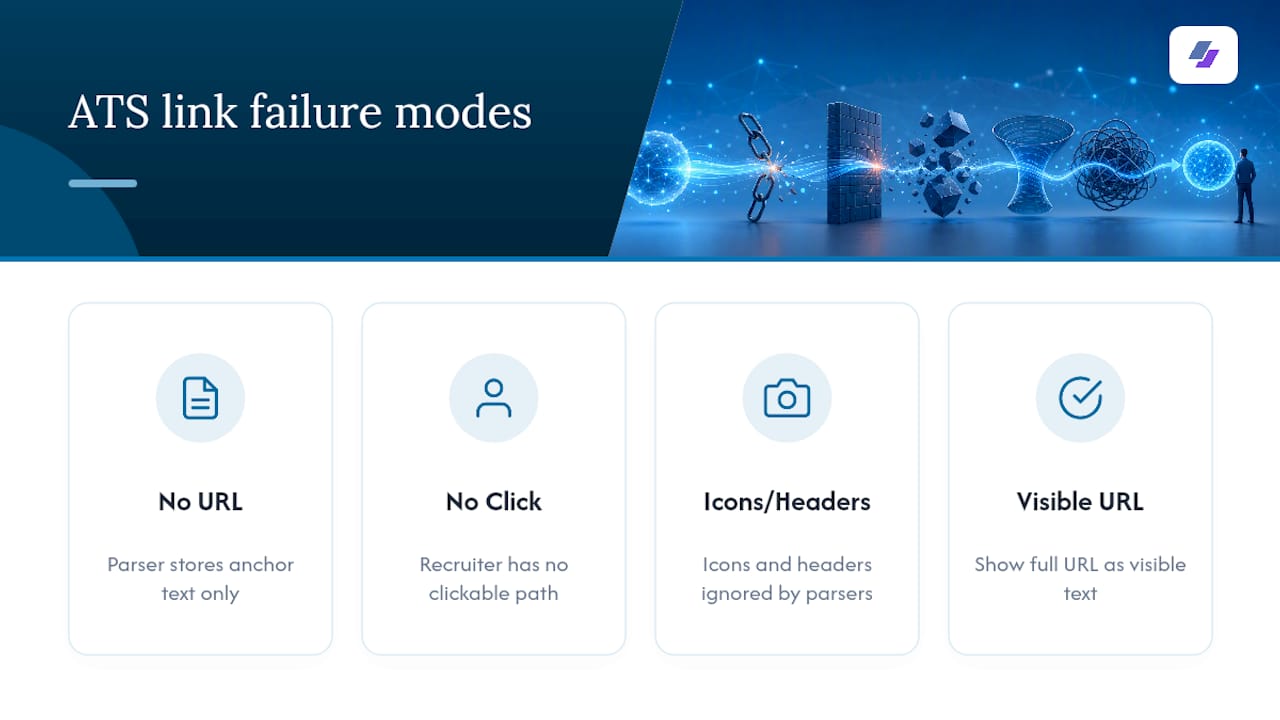
Add it up and you get three failure modes: a parsed record with no URL at all, a recruiter viewer with no clickable path to your profile, and a link that looks present on the page but reads as absent everywhere it matters. None of this means you should avoid links. It means the visible text has to carry the actual information, not just point to it.
What Are the Exact Formatting Rules for ATS-Safe Links?
The fix is simpler than the problem. Make the visible text of every link match its destination, word for character.
Write the full URL out in plain view. Include https:// or start with www. so there’s no ambiguity about what the string is, and keep the entire URL on one line rather than letting it wrap or break across two. Plain-text URLs that include the protocol or a www. prefix are the safest format for both parsing accuracy and recruiter clarity.
Here are the rules to follow every time:
- Write the full URL as visible text:
https://www.yourportfolio.com, not “click here” or a bare domain fragment. - Label each one with a short prefix so context is obvious at a glance:
Portfolio:,GitHub:,LinkedIn:. - Skip URL shorteners like bit.ly links entirely. They add a redirect step some ATS parsers won’t follow, and they look suspicious to a human reviewer who can’t tell where they lead.
- Never rely on an icon as the only link. If you want the visual polish, keep the icon but place the full URL as text right next to it.
- Avoid vague anchor text like “here” or “portfolio” with no URL attached. If someone copies and pastes your resume into a plain-text field, that word means nothing without the address behind it.
You can still make the URL clickable if you want the convenience for a human reader. Layer the hyperlink on top of the visible text if your software allows it. The rule that matters is that the characters displayed have to be the actual destination. Help documentation from resume-builder platforms explicitly warns against hiding a LinkedIn URL behind separate anchor text, recommending the full public profile URL as the visible string instead. That advice holds for every link type, not just LinkedIn.
Where Should Links Go, and Does File Format Matter?
Placement is almost as important as formatting. Put your links in the body of page one, ideally right under your name and contact information, or in a short dedicated section labeled “Links” or “Online Profiles.” Avoid headers, footers, sidebars, and anything embedded in an image or graphic element, since those regions get skipped or ignored by a meaningful share of parsing engines.
File format changes what you need to double-check before submitting.
PDF generally preserves your layout well, but you still need to confirm the text layer contains the actual URL characters, not just a visual rendering of them. Open the PDF, try to select the link text with your cursor, and copy it into a plain text file. If what pastes out matches the URL, you’re fine. Advice circulating from recruiters and career coaches on LinkedIn itself echoes this: write the visible URL even in a PDF, because some systems still strip embedded hyperlinks during parsing.
DOCX files can carry hidden formatting metadata left over from templates, copied text, or old versions of the document. That metadata occasionally interferes with how a link gets extracted. Save a fresh copy, strip unnecessary formatting, and re-check your links after any major edit.
Plain text (.txt) files and online form fields strip out hyperlinks completely and keep only the raw text. This is exactly why the visible URL matters more than the clickable version. If the job posting requires you to paste your resume into a text box, only what’s typed as characters survives.
If a job posting specifies a required file type, export your resume in that exact format and test it before you submit. Guessing which format “should” work is how good links quietly break.
How Do You Test Your Resume Links Before Applying?
Testing takes five minutes and saves you from submitting a resume with dead links you’ll never know about. Run through this checklist every time you export a new version:
- Open the exported file and try to highlight, select, and copy each URL as plain text. If it copies as full readable characters, it’s structured correctly.
- Run the file through an ATS preview tool to see what the parser actually extracts. A free ATS resume checker will show you the parsed output side by side with your original, which makes broken or missing links obvious immediately.
- Click every link in the exported file on both desktop and mobile. Confirm GitHub repositories are set to public, not private, and that portfolio pages load without long delays or broken assets.
- If you’re applying through an online form rather than uploading a file, paste each URL into the relevant field and check the application preview screen to confirm it displays correctly before you hit submit.
This last step catches a mistake a lot of applicants miss: some application portals reformat pasted text, and a URL that looked fine in your document can arrive mangled in the form field. JobAlign’s guide on testing a resume for ATS walks through additional preview steps if you want a deeper look at what different parsers surface.
What Do Good and Bad Resume Link Examples Look Like?
Seeing the difference between a working link and a broken one usually clicks faster than reading another rule. Here’s what each looks like on the page.
A solid contact line reads like this:
Jordan Rivera | jordan.rivera@email.com | (555) 010-2938 LinkedIn: linkedin.com/in/jordanrivera | Portfolio: www.jordanriveradesign.com
A dedicated links section, placed just below your summary, might look like this:
Links LinkedIn: linkedin.com/in/jordanrivera GitHub: github.com/jordanrivera Portfolio: www.jordanriveradesign.com
Now the version to avoid: a row of small social icons with no text beside them, or a line that says “Check out my work here” with the word “here” hyperlinked and nothing else visible. Both fail the same way. The moment that resume gets parsed, the icons contribute nothing readable, and “here” becomes a meaningless word floating with no destination attached. A recruiter scanning quickly skips right past it, and the ATS record shows a gap where a real link should be.
Why ATS Link Formatting Is the Detail Job Seekers Skip
Most resume advice focuses on keywords and formatting for the body text, and almost none of it spends real time on links, which is strange given how often a hiring manager’s first move is checking a candidate’s LinkedIn or portfolio before reading past the summary. We think that gap is exactly why so many strong candidates get passed over for reasons that have nothing to do with their qualifications.
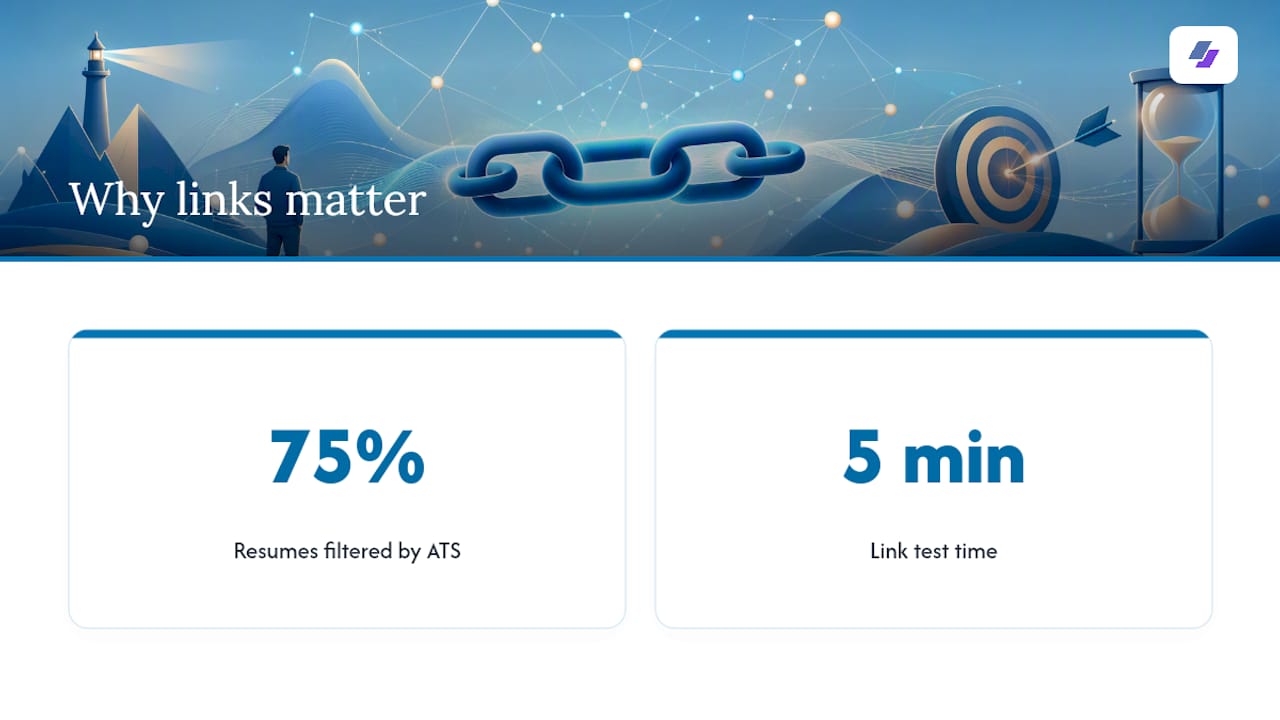
JobAlign was built around a simple observation: roughly 75% of resumes get filtered out by ATS software before a human ever sees them, often for mechanical reasons that have nothing to do with whether someone can do the job. A broken or invisible link is a small, avoidable version of that same problem. It’s not a dealbreaker on its own, but stacked with a dozen other small formatting misses, it adds up to a resume that never gets a fair read.
Test your links every time you export a new version, especially after switching templates or file formats. It takes five minutes and it’s the difference between a recruiter clicking through to your best work and staring at a dead line of text.
— Johan
Let JobAlign Handle Your Link Formatting Automatically
JobAlign is the alternative to manually rebuilding link formatting every time you tailor a resume for a new job. Instead of retyping URLs, second-guessing whether your PDF preserved the text layer, or wondering if that LinkedIn icon survived the export, JobAlign syncs directly with your LinkedIn profile and generates a fresh, ATS-optimized resume with your links written out as visible, labeled text every time.
Every resume JobAlign produces goes through the same formatting logic covered here: full URLs, clear labels, no icons standing in for readable characters. Users applying with JobAlign resumes experience a notably high ATS pass rate, and because each posting gets its own build, you can tailor a new version for every application without redoing the link formatting by hand each time.
Try it yourself: visit the LinkedIn Resume Generator landing page, sync your profile, and export your first resume free to see exactly how your links render before you apply.
Sources
- Do ATS Read Hyperlinks on Your Resume? | ATS Verification
- How to Include Links in an ATS Resume Safely: Best Practices & Mistakes to Avoid