Best Salestrax.com Alternatives for ATS-Optimized Resumes

If you’re searching for salestrax.com alternatives, the short answer is this: you don’t need another job board. You need an AI-driven resume builder that syncs with LinkedIn, tailors your resume to each job description, and gets you past ATS filters. Jobalign is our top recommendation for exactly that workflow.
Here’s a quick map of what’s actually available:
- AI resume builders with LinkedIn sync (Jobalign, Rezi, Zety): solve the ATS rejection problem by generating tailored, keyword-matched resumes per application.
- JD-tailoring engines (Jobscan, Enhancv): analyze a job description and score or rewrite your resume against it.
- ATS checkers and polish tools (Resume.io): format-focused tools that clean up structure and readability for ATS scanners.
The bottom line: If you’re applying to multiple jobs and getting rejected before a human sees your resume, pick an AI builder with LinkedIn sync and unlimited tailored resumes. If you just need a one-time ATS format check, a checker tool is enough.
Table of Contents
- What are the best salestrax.com alternatives for ATS success?
- How these alternatives differ from Salestrax in practice
- How to pick the right Salestrax alternative for your job search
- Why Jobalign is the recommended alternative for ATS success
- What do pricing and timelines look like for AI resume builders?
- How to switch from a job-board workflow to an ATS-focused application workflow
- Key Takeaways
- The real problem most job seekers are solving for
- Jobalign gets you past ATS filters faster than any job board can
- Useful sources, demos, and links to learn more
What are the best salestrax.com alternatives for ATS success?
| Category | Best for | ATS optimization | LinkedIn sync | AI JD tailoring | Unlimited resumes | Templates & formats | Free plan/trial | Typical pricing |
|---|---|---|---|---|---|---|---|---|
| LinkedIn-sync AI builders (Jobalign) | Multi-application job seekers | Keyword matching + ATS-compatible PDF | Yes | Yes, per JD | Yes | Expert templates, PDF | Free trial | Paid subscription |
| JD-tailoring engines (Jobscan) | Keyword gap analysis | Score-based keyword matching | Partial | Yes | Varies by plan | Limited | Free tier | Paid tiers |
| ATS checkers (Resume.io) | Format and readability | Structure/format compliance | No | Limited | Per-resume limits | Many templates, PDF | Free trial | Paid tiers |
| AI resume writers (Rezi) | ATS-focused writing | ATS scoring + content suggestions | No | Yes | Paid plans | ATS-safe templates, PDF | Free tier | Paid tiers |
| Template-first builders (Zety, Enhancv) | Visual polish + ATS basics | Moderate ATS guidance | No | Limited | Per-resume limits | Wide template range, PDF | Free trial | Paid tiers |
The four columns that matter most for your situation: ATS optimization approach, LinkedIn sync, AI JD tailoring, and unlimited tailored resumes. Those four determine whether a tool actually reduces rejection or just makes your resume look nicer.
How these alternatives differ from Salestrax in practice
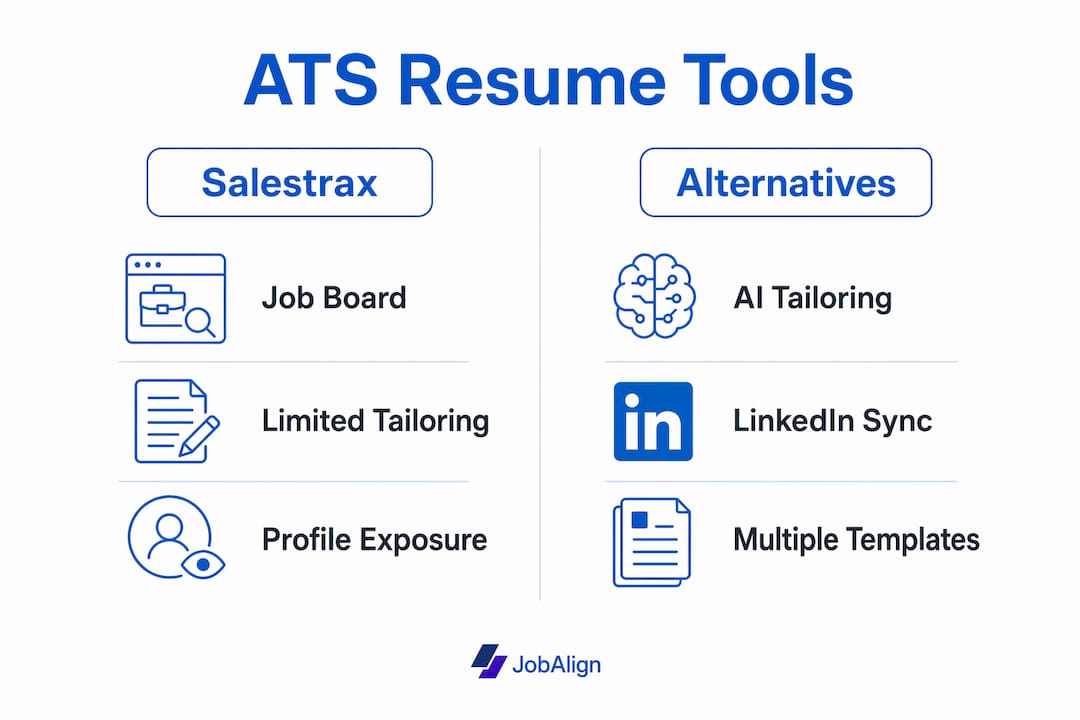
Salestrax is a niche job board built for tech sales roles. It’s an exposure tool: it puts your profile in front of employers. It does not generate, tailor, or optimize your resume. That’s a fundamental difference, and it’s why sales job board roundups focus entirely on employer reach and posting tiers rather than applicant-side features.
Here’s how the two categories compare on what actually affects your outcomes:
- ATS optimization: AI builders embed job-specific keywords and use machine-readable formatting. Job boards display your existing profile with no keyword adjustment.
- Speed of tailoring: AI builders produce a tailored resume in minutes. Manual tailoring from a job board profile takes hours.
- Resume volume: AI builders with unlimited plans let you generate a unique resume for every application. Job boards give you one static profile.
- LinkedIn import: Jobalign and some AI builders pull your full work history directly from LinkedIn. Most job boards require manual re-entry.
- Output formats: AI builders export ATS-compatible PDFs. Job boards typically display a web profile with no downloadable ATS-safe file.
- Support options: SaaS builders offer in-app guidance, help docs, and often live chat. Niche job boards tend to offer minimal applicant-side support.
Pro Tip: The most common mistake we see is treating a job board as a resume tool. Salestrax gets your profile listed. It cannot fix the keyword gaps that cause ATS filters to reject your resume before a recruiter reads it. Those are two separate problems requiring two separate tools.
How to pick the right Salestrax alternative for your job search
Prioritize tools that automate JD-driven tailoring, sync with LinkedIn, and allow unlimited tailored resumes. Everything else is secondary.
Evaluation criteria to apply:
- Does it pull your LinkedIn work history automatically, or do you have to rebuild from scratch?
- Does it analyze the actual job description and insert the right keywords, or just suggest generic improvements?
- Can you generate a new tailored resume for every application, or does the plan cap you at a fixed number?
- Does it export a clean, ATS-compatible PDF? (Not a web link, not a Word file with complex formatting.)
- Is the tool available to US-based users with clear data privacy controls?
- Does it integrate with other tools you already use, like LinkedIn or job-tracking spreadsheets?
- What does support look like when something goes wrong?
Questions to ask during any free trial:
- Can I import my LinkedIn profile in under two minutes?
- Does the tool highlight which keywords from the job description are missing from my resume?
- Can I download the finished resume as a PDF immediately, without upgrading?
- How many tailored resumes can I generate on the free plan?
Four red flags that mean the tool won’t solve your ATS problem:
- No LinkedIn import (you’ll waste time rebuilding your history manually).
- Per-resume fees (unsustainable if you’re applying to 20+ roles).
- No ATS report or keyword gap analysis (you’re flying blind).
- Vague or missing privacy policy with no explicit US data handling.
Why Jobalign is the recommended alternative for ATS success
Jobalign was built specifically for the problem you’re trying to solve: ATS-optimized resume generation at scale, without rebuilding your history for every application.
Here’s what it does that directly addresses the gaps in job-board and manual workflows:
- LinkedIn sync: Connect your profile once. Jobalign pulls your full work history, skills, and experience automatically.
- JD analysis: Paste in a job description. The platform identifies the keywords and competencies the employer’s ATS is scanning for.
- Unlimited tailored resumes: Generate a unique, keyword-matched resume for every role you apply to, with no per-resume cap on paid plans.
- ATS-compatible output: Every resume exports as a clean PDF using expert-designed templates that pass automated parsing.
The practical scenario looks like this: a job seeker who has been sending the same resume to 30 different roles switches to Jobalign, syncs LinkedIn, and starts generating a tailored resume per application. The keyword alignment improves immediately because the tool is reading the actual job description, not guessing. You can see the benefits of tailored applications in the callback rate difference between generic and JD-matched resumes.

What do pricing and timelines look like for AI resume builders?
Most AI resume builders offer a free plan or trial that lets you generate at least one tailored resume and, in some cases, view a basic ATS compatibility report. Paid plans unlock unlimited personalization, premium templates, and batch application features.
| Category | Free plan/trial | Paid tier range | Time to first tailored resume |
|---|---|---|---|
| LinkedIn-sync AI builders | Yes (1 free resume or trial) | Subscription (monthly/annual) | 2–10 minutes |
| JD-tailoring engines | Yes (limited scans) | Paid tiers | 5 minutes |
| ATS checkers | Yes (basic format check) | Paid tiers | 5–20 minutes |
| Template-first builders | Yes (limited downloads) | Paid tiers | 10–30 minutes |
The time difference matters. A LinkedIn-sync builder like Jobalign gets you from job description to downloadable PDF in under 10 minutes because it skips the data-entry step entirely. Manual tailoring from a blank template typically takes 45 minutes to an hour per application.
When to upgrade from free to paid: the trigger is volume. If you’re applying to more than five roles, a paid plan with unlimited tailored resumes pays for itself in time saved. Check Jobalign’s pricing page for current plan details.
How to switch from a job-board workflow to an ATS-focused application workflow
The minimum viable switch: stop manually tailoring one static resume and set up LinkedIn sync plus JD-specific templates this week.
Step 1: Export your LinkedIn profile. Jobalign’s LinkedIn-to-resume tool pulls your data in about two minutes. No manual re-entry.
Step 2: Identify your three to five most common target job types and save the key JD language for each as a reference template.
Step 3: For each application, paste the job description into your AI builder and run a JD-tailoring pass. Review the keyword suggestions and approve the output.
Step 4: Check the ATS report. Confirm that the resume passes structural parsing and that critical keywords appear in the right sections.
Step 5: Download the ATS-compatible PDF and submit. Log the application and the JD version used so you can track which tailoring approach gets callbacks.
Complete within 48–72 hours:
- Connect LinkedIn to your chosen AI builder.
- Generate your first tailored resume from a live job description.
- Review the ATS report and note any recurring keyword gaps.
- Check the tool’s privacy policy and confirm US data handling.
Key Takeaways
AI-driven resume builders that sync with LinkedIn and tailor to each job description are the practical alternative to job boards like Salestrax for job seekers who need to pass ATS filters.
| Point | Details |
|---|---|
| Job boards vs. AI builders | Job boards increase exposure; AI builders fix the keyword gaps that cause ATS rejection. |
| LinkedIn sync saves time | Syncing LinkedIn cuts resume setup from an hour to under 10 minutes per application. |
| Unlimited resumes matter | Per-resume caps are unsustainable if you’re applying to more than five roles at a time. |
| ATS reports are non-negotiable | Without a keyword gap report, you cannot know whether your resume will pass automated filters. |
| Jobalign’s approach | Jobalign combines LinkedIn sync, JD analysis, unlimited tailored resumes, and a high reported ATS pass rate. |
The real problem most job seekers are solving for
Most people searching for alternatives to Salestrax are not actually looking for a different job board. They’re looking for a way to stop getting rejected before a human ever reads their resume. Those are different problems, and conflating them is what keeps job seekers stuck.
The job-board model was built for employer reach. It was never designed to fix ATS rejection, and no amount of profile optimization on a job board changes what happens when your resume hits an automated filter with the wrong keywords. The tools that actually move the needle are the ones that read the job description, match your experience to its specific language, and produce a clean, parseable PDF every time.
What we find most telling is how quickly the callback rate changes when job seekers switch from a single static resume to per-application tailoring. The resume itself hasn’t changed in substance. The keywords have. That’s the whole game.
Jobalign gets you past ATS filters faster than any job board can
Every tool covered in this article solves a piece of the problem. Jobalign solves the whole thing in one workflow: sync your LinkedIn profile, paste a job description, and get a tailored, ATS-optimized PDF in minutes. No manual re-entry. No per-resume fees on paid plans. No guessing which keywords the ATS is scanning for.
The free trial lets you generate your first tailored resume and see the ATS output before you commit to anything. Start your free resume now, or review the full ATS guide if you want to understand the filters before you run your first tailoring pass.
Useful sources, demos, and links to learn more
- Jobalign free LinkedIn resume generator: generate your first ATS-optimized resume from your LinkedIn profile in about two minutes.
- Jobalign ATS resume guide: explains ATS filters, keyword placement, and formatting rules for US job applications.
- Jobalign pricing page: current plan details and what each tier unlocks.
- Jobalign vs. Rezi comparison: side-by-side breakdown of how the two platforms handle ATS optimization and LinkedIn sync.
- Salestrax company profile (Tracxn): confirms Salestrax’s positioning as a niche staffing and recruiting job board, not a resume tool.
- Salestrax review with pricing (BetterTeam): independent review covering Salestrax’s employer-side features and pricing tiers.
- AI resume optimization walkthrough (Jobalign): step-by-step guide to running a full AI tailoring pass on your resume.