Build an Entry-Level Resume From Scratch: Step-by-Step Guide

Build one clean, one-page entry-level resume by choosing a skills-first format, writing a two-line objective tied to the job, and converting school or volunteer work into achievement bullets. Save it as a PDF. About 75% of resumes get rejected by ATS software before a human ever sees them, so format discipline matters as much as content here.
Your priority order this hour:
- Pick your format (skills-first or hybrid) before writing a single line.
- Draft your summary and skills section using the job posting’s own language.
- Turn every school project, volunteer shift, or part-time gig into a one-line achievement bullet, then proofread last.
Key Takeaways
A tailored, one-page resume built on a skills-first format and quantified achievement bullets beats a longer, generic resume for entry-level applications.
| Point | Details |
|---|---|
| Choose skills-first or hybrid | These formats highlight coursework and projects instead of exposing a thin work history. |
| Quantify every bullet | Add a number or measurable outcome to each achievement line whenever possible. |
| Match job description keywords | Pull your top six repeated terms directly from the posting into your skills section. |
| Keep formatting ATS-safe | Use standard fonts, save as PDF, and avoid headers, footers, and images. |
| Use JobAlign to tailor faster | JobAlign syncs with LinkedIn to generate an ATS-optimized resume for each application. |
Table of Contents
- How Do You Build an Entry-Level Resume From Scratch?
- What Contact Information Belongs on Your Resume Header?
- What Should Your Resume Summary or Objective Say?
- How Do You Build a Skills Section That Passes ATS?
- Can Education, Projects, and Certifications Replace Work Experience?
- How Do You Turn Volunteer or Part-Time Work Into Resume Bullets?
- What Formatting Rules Keep Your Resume ATS-Compatible?
- What Does a One-Page Entry-Level Resume Template Look Like?
- What’s on the Final Resume Submission Checklist?
- What Recruiters Actually Look For in Entry-Level Resumes
- Speed Up the Process With JobAlign’s Resume Generator
- Frequently Asked Questions
- Sources
How Do You Build an Entry-Level Resume From Scratch?
You’re choosing between three formats, but really only two are worth your time. Chronological resumes list jobs by date, which works great if you have three years at the same company. Functional (skills-first) resumes lead with what you can do, not where you’ve worked. Hybrid resumes blend both, opening with skills and closing with a short work or activity history.
For someone building an entry-level resume from scratch, skills-first or hybrid formats outperform chronological layouts because they let you promote coursework, projects, and volunteer work instead of exposing employment gaps. A hybrid format is often the safer pick since it still gives recruiters a familiar structure to scan.
| Format | Best For | ATS Friendliness |
|---|---|---|
| Chronological | Steady part-time or seasonal work history | High |
| Functional (skills-first) | Little to no paid experience | Moderate to high |
| Hybrid | Mixed experience with some skills to highlight | High |
Pick hybrid if you’re unsure. Switch to chronological only if you’ve held the same job or internship consistently for over a year.
What Contact Information Belongs on Your Resume Header?
Your header is prime real estate. Recruiters skim resumes quickly, so the top third needs to work instantly.
- Full name in a larger, bold font at the top.
- Phone number and a professional email address (first.last@gmail.com, not a nickname from middle school).
- City and state only. Skip your full street address.
- LinkedIn URL or portfolio link, but only if the profile is complete and matches your resume.
Pro Tip: Customize your LinkedIn URL (linkedin.com/in/yourname) before adding it. A messy default link with random numbers looks unfinished.
What Should Your Resume Summary or Objective Say?
Use an objective when you’re targeting a specific entry-level role and have zero relevant experience. Use a summary when you’ve completed an internship, volunteer role, or class project that connects directly to the job.
Keep it to one or two sentences, and pull language straight from the posting.
- Objective example: “Recent marketing graduate seeking an entry-level coordinator role to apply skills in content creation and social media analytics.”
- Summary example: “Detail-oriented business student with hands-on experience managing a 200-member campus organization’s budget and event logistics.”
- Retail/service example: “Customer-focused team player with two years of volunteer retail experience, seeking to bring strong communication skills to a full-time associate role.”
Whichever you choose, include one measurable detail if you can. “Managed a $2,000 budget” beats “helped with budgeting” every time.
| Approach | Use When |
|---|---|
| Objective | No relevant experience, targeting one specific role |
| Summary | Some internship, volunteer, or project experience to highlight |
How Do You Build a Skills Section That Passes ATS?
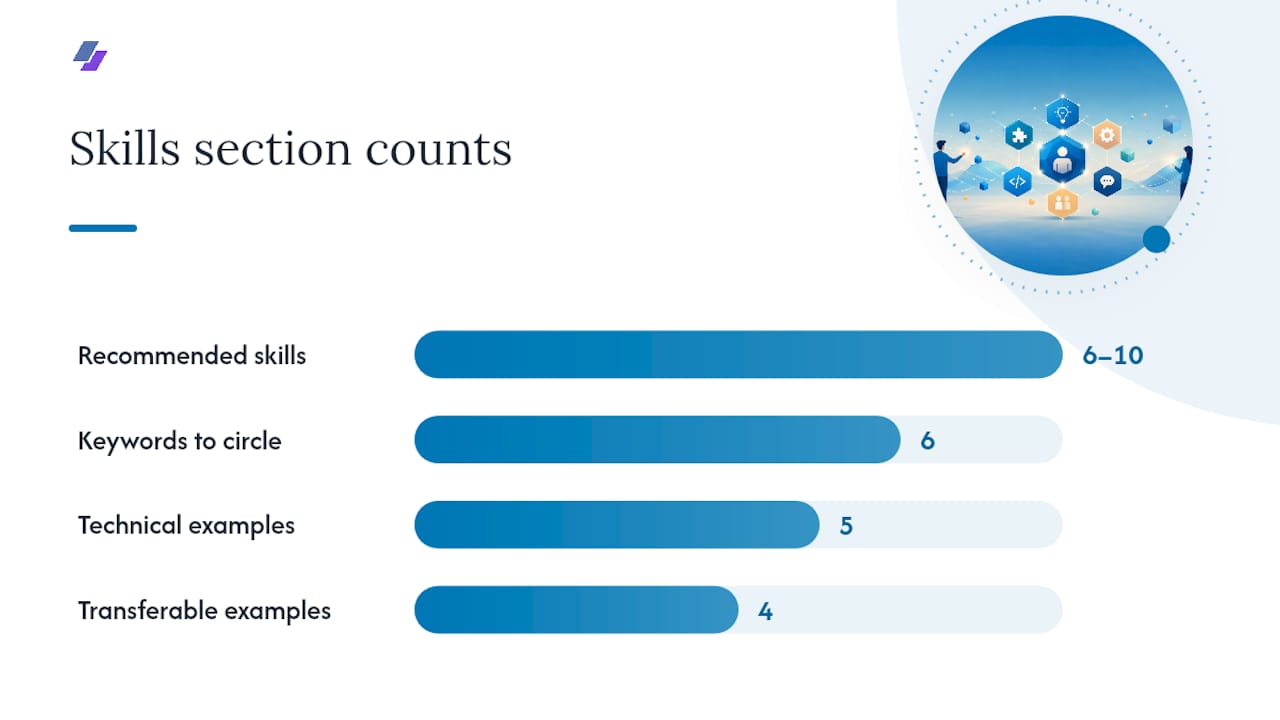
Start by listing everything you can do, hard and soft skills both, then narrow it down to six to ten that match the job posting. Job postings reveal exactly which keywords the ATS is scanning for, so treat the description like an answer key.
- Technical skills: Excel, QuickBooks, Adobe Creative Suite, Salesforce, SQL, or whatever tools the posting names.
- Transferable skills: time management, conflict resolution, cash handling, public speaking.
- Software and platforms specific to the field, like point-of-sale systems for retail or CRM tools for sales roles.
Quick keyword extraction: read the job description twice, circle the six terms that repeat most, and work them into your skills list and bullets naturally. Our ATS keyword placement guide breaks down exactly where each keyword carries the most weight.
Pro Tip: Match the exact phrasing from the job posting. If it says “customer service,” don’t write “client relations” instead. ATS software often searches for literal matches.
Can Education, Projects, and Certifications Replace Work Experience?
Yes, and this is where most beginners undersell themselves. Coursework, capstone projects, and certifications count as legitimate experience when you don’t have a job history to lean on.
List your degree, institution, and graduation date (or expected date). Only include GPA if it’s strong. Add honors or relevant coursework if it ties directly to the job.
For projects, write one or two bullets per item that name the outcome or skill used, not just the assignment title.
| Element | What to Include |
|---|---|
| Degree | Full degree name, institution, graduation date |
| GPA | Only if strong |
| Projects | 1-2 bullets each, outcome-focused |
| Certifications | Name, issuing provider, completion date |
How Do You Turn Volunteer or Part-Time Work Into Resume Bullets?
The STAR method, Situation, Task, Action, Result, compresses neatly into a single bullet line once you drop the narrative framing and keep the numbers.
- Identify the situation or context in a few words.
- Name the specific task you owned.
- Describe the action you took using a strong verb.
- State the measurable result, even if it’s an estimate.
Action verbs to pull from: coordinated, organized, managed, trained, resolved, streamlined workflows, tracked, assisted, led, presented, scheduled, audited, drafted, negotiated, and mentored.
Sample bullets across fields:
- Coordinated weekly volunteer schedules for a 15-person team at a local food bank.
- Managed cash register and inventory counts for a retail store averaging $5,000 in daily sales.
- Built a database tracking system for a class project, cutting data entry time by half.
- Trained four new volunteers on donation intake procedures during a summer program.
- Resolved customer complaints as a part-time host, maintaining a 4.8-star service rating.
Pro Tip: Rewrite weak bullets by adding a number. “Helped organize events” becomes “Organized three campus events drawing over 100 attendees each.” The Indeed resume guide for no-experience candidates walks through several more of these before-and-after rewrites.
What Formatting Rules Keep Your Resume ATS-Compatible?
Save your file as a PDF unless the application specifically asks for a Word document. PDFs preserve formatting across devices and most modern ATS platforms read them without issue.
Formatting rules that matter:
- Use standard fonts like Calibri, Arial, or Georgia at 10 to 12 point size.
- Keep margins between 0.8 and one inch.
- Avoid images, text boxes, tables, and columns that confuse parsing software.
- Never put your contact info, job titles, or dates inside a header or footer.
Roughly 87% of resumes built with proper keyword optimization pass ATS filters, compared to the vast majority of unoptimized resumes that get filtered before a recruiter ever opens them. A quick ATS check, matching keywords, scanning headings, confirming PDF export, usually takes under five minutes and catches most formatting mistakes.
What Does a One-Page Entry-Level Resume Template Look Like?
Structure it top to bottom like this, keeping the whole thing on one page:
- Header (1 line): name, phone, email, city/state, LinkedIn.
- Objective or summary (1-2 lines).
- Skills section (6-10 skills, 2-3 lines).
- Experience or projects (2-4 bullets, one line each).
- Education (2-3 lines: degree, school, date).
- Certifications or extra sections if space allows (1-2 lines).
If you’re applying for a technical role, our developer resume examples show how to format a project-heavy layout. Designers can check the UX/UI resume guide for portfolio placement.
| Section | Line Count |
|---|---|
| Header + Objective | 2-3 lines total |
| Skills | 2-3 lines |
| Experience/Projects | 4-6 lines |
| Education + Extras | 3-5 lines |
Tailor every section to the specific posting before you submit.
What’s on the Final Resume Submission Checklist?
Before you hit submit, run through this quickly:
- Spell-check everything, including your own name and email address.
- Confirm dates are consistent (month/year format throughout).
- Export as PDF and name the file clearly: FirstName_LastName_Resume.pdf.
- Save a base version separately, then tailor a copy for each specific application.
Follow up a week after submitting if you haven’t heard back. A short, polite email shows initiative without being pushy.
What Recruiters Actually Look For in Entry-Level Resumes
Recruiters aren’t expecting a work history from someone straight out of school. They’re scanning for clarity, relevance, and signs you’ll actually show up and learn fast.
Two signals stand out more than people expect: consistent volunteer commitment (showing up weekly for six months says more than a one-time event), and any measurable outcome in a school project, even something as small as “reduced setup time by 20%.” Those small numbers separate a forgettable resume from one that gets a callback. For readers who want to move faster once the content is right, AI-assisted resume optimization can help match your bullets to a specific posting’s language in minutes.
Speed Up the Process With JobAlign’s Resume Generator
Writing your first resume from scratch takes real effort, and tailoring it again for every application takes even more. Jobalign cuts that second part down to minutes by syncing directly with your LinkedIn profile, pulling your projects, coursework, and skills, and generating a tailored, ATS-optimized resume for each job you apply to.
A few things it handles for you:
- A resume built for each posting, so you’re never stuck reusing one generic version.
- Automatic keyword matching against the specific job description you’re applying to.
- Clean, ATS-compatible PDF output using expert-designed templates.
If you’ve built your base resume using the steps above, try the free LinkedIn resume builder to generate your first tailored version and see how it compares.
Frequently Asked Questions
Do I need work experience to build an entry-level resume from scratch? No. Volunteer roles, school projects, part-time work, and extracurricular leadership all count as legitimate experience when framed as achievement bullets.
Should I use one page or two for my first resume? One page. Recruiters typically skim entry-level resumes quickly, so a tight, tailored single page performs better than a padded two-page version.
What file format should I submit? PDF, unless the job posting specifically requests a Word document. PDFs preserve formatting and are widely readable by ATS software.
How many skills should I list? Six to ten skills pulled directly from the job posting’s language, mixing technical tools with transferable workplace skills.
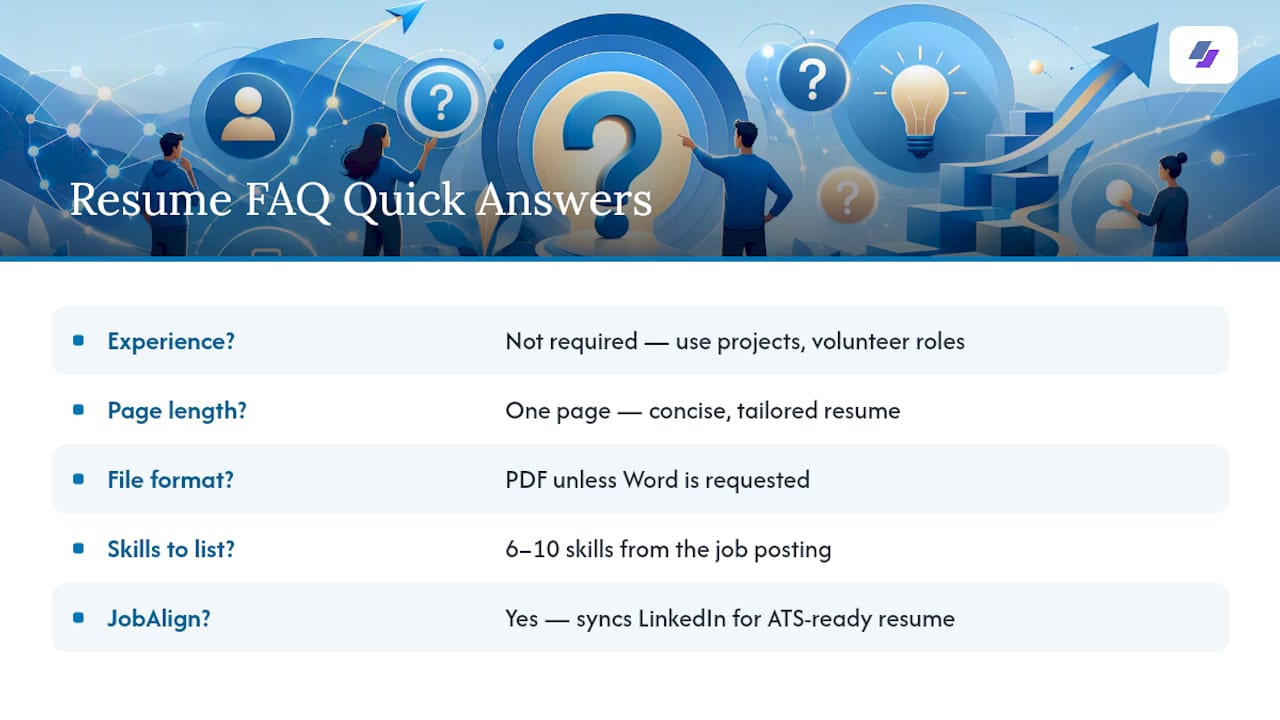
Can JobAlign help me write my first resume? Yes. JobAlign syncs with your LinkedIn profile to generate a tailored, ATS-optimized resume, which is especially useful once you’ve drafted your base content using the steps in this guide.