How ATS Works for Job Seekers: Tailor Resumes to Pass Filters (87% success)

An applicant tracking system, or ATS, is the software recruiters use to collect, scan, and rank job applications before a person ever opens your resume. Most resumes get filtered out before a recruiter sees them, which means your first real audience is a machine, not a hiring manager. That single fact drives two immediate actions: make your resume machine-readable, and tailor it to the exact job description you’re applying to.
TL;DR:
- Resumes must be in a simple, single-column format and saved as a .docx file to ensure proper parsing and filtering by ATS software.
- Including relevant keywords in a dedicated skills section and near the top of the resume improves matching without resorting to hidden text or keyword stuffing.
- Formatting issues such as tables, text boxes, headers, footers, and graphics often cause parsing failures, leading to automatic rejection.
- Tailoring each resume to the specific job description, using exact phrasing and honest qualifications, significantly increases the chances of passing ATS filters.
- Automated tools like Jobalign can help generate ATS-optimized, tailored resumes quickly, especially when applying to multiple jobs weekly.
Table of Contents
- How ATS Works: The Step-By-Step Pipeline
- What ATS Actually Looks For (and Why It Rejects Resumes)
- How Recruiters Use ATS Data (and When Humans Take Over)
- The Practical Resume Checklist: Formatting, Keywords, and Testing
- Common Myths and Mistakes About ATS
- What the Data Says About ATS Success Rates
- A Three-Step Strategy Worth Repeating
- Try Jobalign: Skip the Manual Resume Rebuild
- Sources
How ATS Works: The Step-By-Step Pipeline
Every application you submit travels through a fairly predictable sequence before it ever lands on a recruiter’s screen. Understanding this pipeline is the fastest way to stop guessing and start reverse-engineering what actually gets you noticed.
Input channels. Your resume enters the system through a career page application form, a job board like LinkedIn or Indeed, a bulk import from a staffing agency, or an employee referral. Each channel can tag your application differently, which affects how it’s initially sorted, but the parsing and scoring steps that follow work the same way regardless of entry point.
Parsing and data extraction. Once submitted, the ATS runs your resume through optical character recognition and natural language processing to pull out structured data: your name, contact information, job titles, dates, skills, and education. An ATS parses resumes into standardized fields so it can compare candidates apples to apples. This is also where things go wrong most often. Two-column layouts, text boxes, embedded images, and scanned PDFs confuse the parser, scrambling your work history or dropping entire sections. If the system can’t read it, it can’t score it.
Database and indexing. After parsing, your information gets stored in a central candidate database. The ATS checks for duplicates (did you already apply through LinkedIn and the career page?) and indexes your profile so recruiters can search it later using filters like years of experience, location, or specific certifications. An ATS stores applications and automates screening across the entire hiring pipeline, from the initial posting to the final offer.
Scoring and ranking. This is where the real filtering happens. The system compares your parsed data against the job requirements using a weighted model. Hard requirements (a specific degree, a required certification) often carry more weight than preferred qualifications. Keyword matches count, but the better systems now go further. Modern platforms increasingly blend semantic and AI-driven matching with keyword scoring, so a resume that says “managed a team of engineers” can sometimes score well against a posting that says “led cross-functional technical staff,” even without an exact word match.
Filtering and human escalation. Candidates below a certain score threshold rarely surface in a recruiter’s queue at all. Those above it get ranked and pushed into a shortlist, which is the moment your resume finally reaches a person. Everything before this point was software making decisions about whether you’re worth a human’s time.
What ATS Actually Looks For (and Why It Rejects Resumes)
Getting filtered out usually comes down to one of three things: your keywords don’t match, your formatting breaks the parser, or you’re genuinely missing a required qualification. Understanding which one applies to you changes what you fix.
Keyword presence and context. The ATS checks whether the skills and terms in the job posting show up in your resume, but where and how they appear matters. A skill buried in a dense paragraph scores differently than the same skill listed in a dedicated skills section and repeated in a bullet point with a concrete result attached. Stuffing keywords into a hidden white-text block or a wall of tags doesn’t fool modern systems and can actually hurt you with the human reviewer who sees it later.
Standard headings matter more than people think. Sections labeled “Work Experience,” “Education,” and “Skills” parse cleanly. Creative alternatives like “My Journey” or “What I Bring” often confuse the segmentation logic, and your entire employment history can end up misfiled or invisible to the scoring engine.
Formatting pitfalls. Two-column layouts, tables, headers and footers containing key information, graphics, and unusual fonts are the most common causes of parsing failure. An ATS resume works best in a simple, single-column format, because that structure maps cleanly onto the fields the parser expects. A visually striking resume that a parser reads as gibberish never gets a fair shot.
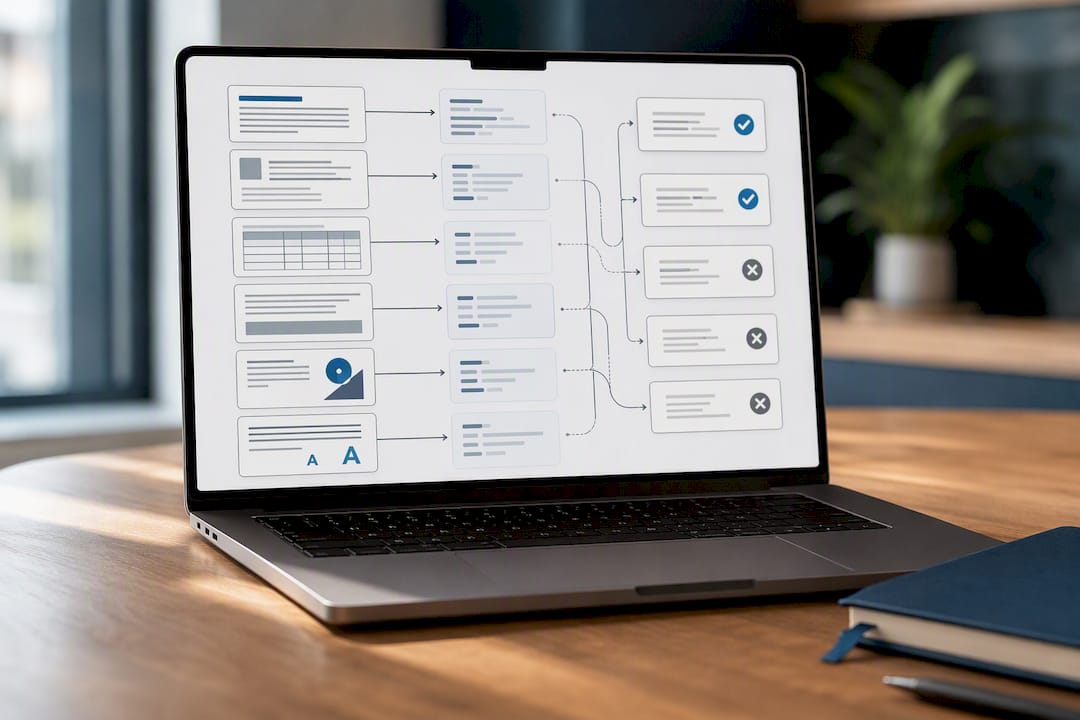
Among the most common rejection causes, three dominate: formatting that breaks parsing, keyword mismatch against the posting, and a genuinely missing qualification the employer requires. The first two are entirely within your control. The third one at least tells you where you stand.
How Recruiters Use ATS Data (and When Humans Take Over)
Once your resume clears the automated score threshold, a recruiter finally looks at it, and what they scan for first is different from what the software scored. Recruiters doing a quick pass typically look at your most recent title, your tenure at each company, and whether your top few bullet points show measurable results. That first scan often lasts under a minute.
Shortlisted candidates get grouped into an interview pool, and this is where the ATS shifts from filter to workflow tool. Recruiters use it to schedule interviews, distribute standardized scorecards to interviewers, and log feedback in one place. Platforms like Gem note that ATS systems also manage interview scheduling and audit trails that support compliance reporting, which matters because employers need defensible, consistent hiring records. The EEOC’s guidance on nondiscriminatory hiring practices is part of why that audit trail exists in the first place, since employers must be able to show hiring decisions weren’t based on protected characteristics.
The critical thing to remember: the ATS score gets you into the room, but it never makes the hiring decision. A human still reads your resume, still forms a judgment about fit, and still decides who gets a phone screen. Video interviewing tools like Facecruit often plug directly into this stage, letting recruiters move from shortlist to first interview without leaving the system. The machine narrows the field. The person picks the winner.
The Practical Resume Checklist: Formatting, Keywords, and Testing
Everything above translates into a short, concrete list of things to actually do before you hit submit.
File type and layout.
- Use a .docx file when the application allows it. It’s the most reliably parsed format across ATS platforms.
- PDFs can work fine on modern systems, but some older ATS software still struggles with PDF parsing, so docx remains the safer default when you’re unsure which system an employer uses.
- Stick to a single-column layout. Skip tables, text boxes, and graphics entirely.
- Keep headers and footers empty of essential information like your phone number or email, since some parsers skip them.
Where to put your keywords.
- Put your target job title or a close variant near the top of your resume, ideally in a headline.
- Build a dedicated skills section that mirrors the language in the job posting.
- Repeat key terms inside your bullet points, attached to a number or result, rather than listing them once and moving on.
Formatting to avoid.
- Unusual fonts, icons for section headers, and multi-column designs all raise your parsing failure risk.
- Skip embedded charts or skill “meter” graphics. They look sharp to a human and mean nothing to a parser.
The tailoring workflow. Pull the exact phrasing from the job description for skills you genuinely have, and use it in your resume. Never claim a qualification you don’t have just to match a keyword. Before submitting, run your resume through a plain-text preview or a parsing check to confirm your sections and job titles still read correctly once stripped of formatting.
Pre-submit checklist.
- Parse-test your resume (copy and paste it into a plain text document and check it still makes sense).
- Spell-check every section, especially company names and titles.
- Confirm no essential detail lives only in a header, footer, or image.
Jobalign’s ATS-optimized resume templates are built around exactly this structure, so the layout question is handled before you start typing.
Pro Tip: Save a plain-text version of your resume alongside your formatted one. When an application system has a “paste resume” field instead of an upload button, that plain-text copy parses far more cleanly than pasted rich text ever will.
Common Myths and Mistakes About ATS
Myth: “ATS only matches exact keywords.” Reality: many modern systems weigh semantic relevance alongside literal keyword matches, so synonymous phrasing often scores reasonably well. That doesn’t mean keywords stopped mattering. It means context and truthful description now carry more weight than robotic repetition.
Myth: “PDFs always get rejected.” Reality: PDFs frequently parse just fine on current systems. The real risk is with older or smaller-vendor ATS platforms that still choke on certain PDF exports, particularly ones generated from design tools rather than word processors.
Myth: “A high ATS score means you’re getting the interview.” Reality: passing the filter only earns you a human reader. Recruiters still evaluate clarity, impact, and quantified results on their own terms.
What the Data Says About ATS Success Rates
A large share of resumes never make it past ATS screening to a human reviewer, according to Jobalign’s product data, a figure consistent with the formatting and keyword-mismatch problems described above. Most of that failure rate traces back to preventable causes: bad file formatting, missing keyword context, or a resume that wasn’t tailored to the specific posting.
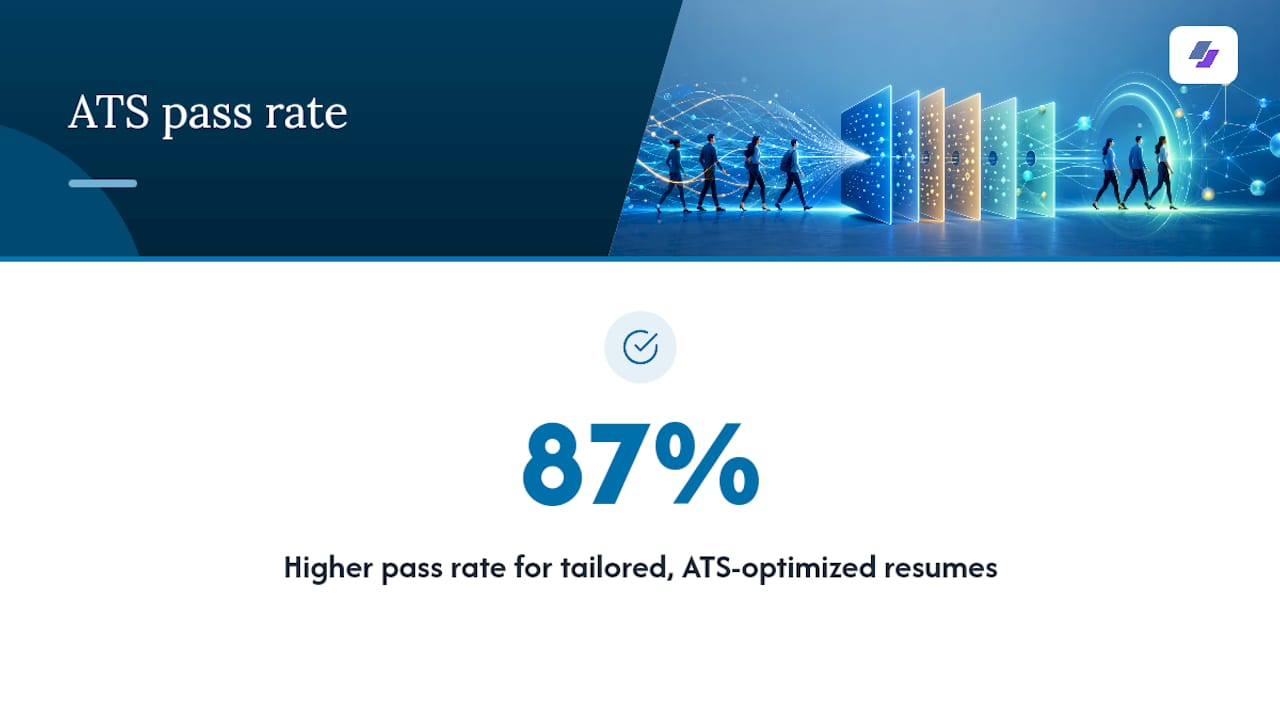
Jobalign built its resume generator around closing that gap. It syncs directly with your LinkedIn profile, pulls your real experience and skills, and generates a tailored, ATS-optimized resume for each individual job application rather than one generic version you send everywhere. Jobalign reports an 87% success rate getting resumes through ATS filters, which lines up with the same principles covered in the checklist above: clean parsing, contextual keywords, and honest tailoring. The realistic expectation isn’t a guarantee of an interview. It’s a much better shot at reaching the human who decides.
A Three-Step Strategy Worth Repeating
Every resume you send should clear three hurdles in order: make it parseable, tailor it to the specific job, and only then polish it for the human reader. Skip step one and nothing else matters, since a badly formatted resume never reaches a person to appreciate your writing. If you’re applying to a handful of jobs, do this manually and carefully. If you’re applying to dozens, automate the tailoring step so quality doesn’t collapse under volume; that’s precisely where a structured customization workflow earns its keep. My one lasting piece of advice: revisit your skills section every time a recruiter rejects you without an interview. That pattern usually tells you more than any single job posting does.
— Johan
Try Jobalign: Skip the Manual Resume Rebuild
Rebuilding your resume from scratch for every application is where most job seekers lose momentum, and it’s exactly the problem Jobalign was built to solve. Instead of manually reformatting and re-keywording each version, Jobalign syncs with your LinkedIn profile and generates a new, tailored, ATS-optimized resume for every job you apply to, without you starting from a blank page each time. It handles the file format and layout concerns covered in the checklist above automatically, and it pulls the right keywords from each job description so your resume matches the role instead of matching nothing in particular. If you’re applying to more than a handful of jobs a week, that time savings compounds fast. Head to the Jobalign resume generator to sync your LinkedIn profile and generate your first tailored resume in minutes.