Back Every Data Analyst Resume Keyword with One Bullet

Three things get a data analyst resume past ATS: exact tool and platform names, outcome-linked phrasing, and language mirrored from the job post. Put them in your summary, your skills row, and at least one bullet per role. The categories that matter most are SQL and warehouse tools, BI platforms, Python and pandas, Excel features, statistics and experimentation, and data quality practices, as detailed in this comprehensive Excel Data Analysis Features List.
TL;DR:
- Including specific platform and tool names like window functions in SQL, Tableau LOD expressions, and Power BI DAX significantly boosts resume ATS success.
- Hard filters such as SQL, warehouse tools, and BI platforms must be listed precisely and supported with measurable project examples to establish credibility.
- The top summary and skills section should feature the ten most critical keywords, each backed by at least one project or bullet demonstrating real experience.
- Tailoring your resume for each application involves highlighting repeated terms, categorizing them into filters, and ensuring every keyword has proof in your experience.
- Depth of skill demonstration, through specific features and measurable results, outweighs simply listing multiple tools or vague skills in your resume.
Table of Contents
- How to Pull Data Analyst Resume Keywords From Any Job Posting
- Data Analyst Resume Keywords by Category, With Ready Phrasing
- Where to Place Keywords on an ATS-Friendly Resume
- A 10-Minute Keyword Mapping Checklist for Every Application
- What a Keyword-Optimized Resume Looks Like in Practice
- Keyword Mistakes That Cost Analysts Interviews
- Why This Guidance Holds Up
- The Keyword Advice Nobody Tells You Straight
- Let JobAlign Map Your Keywords Automatically
- Sources
How to Pull Data Analyst Resume Keywords From Any Job Posting
Most job postings are already a keyword list. You just have to read them like a recruiter instead of a candidate.
Step 1: Scan for repetition and structure first. Open the posting and note every term that shows up more than once, plus anything set off in a bulleted “requirements” or “qualifications” block. If “SQL” appears in the title, the summary, and the requirements section, that is not filler. That is the ATS’s primary filter term, and it needs to appear on your resume in the same form.
Step 2: Sort every term into hard filters versus supporting skills. Hard filters are the non-negotiables: SQL, a specific BI tool, a specific warehouse. Supporting skills are things that round out the picture, like “stakeholder communication” or “data storytelling.” ATS systems weigh hard filters more heavily, and recruiters use them as a first pass before they read anything else.
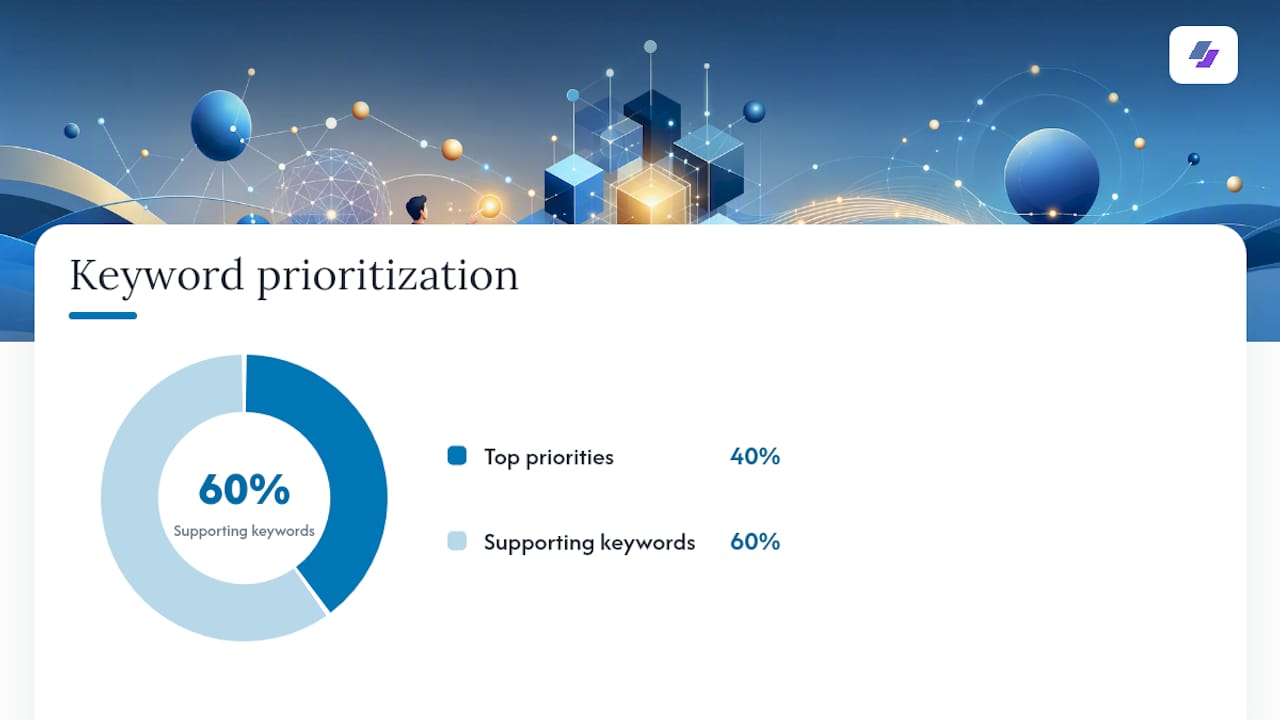
Step 3: Build a top 10 and a supporting 15, then assign locations. A practical checklist approach recommends choosing your ten highest-priority terms for your summary and skills row, then a supporting list of about fifteen more to weave into bullets and project descriptions. This keeps you from cramming every keyword into one paragraph, which reads as stuffing to both software and humans.
Step 4: Apply the evidence rule. Every skill on your top row needs a bullet or project that proves it. If you list “Tableau” but never mention a dashboard, a report, or a metric you built in it, a recruiter will assume you padded the list. This single rule catches most of the credibility problems that show up in analyst resumes.
Here’s the sequence in full:
- Copy the job description into a document and highlight every repeated or bulleted term.
- Split the highlighted terms into hard filters and supporting skills.
- Choose your top 10 hard filters for the summary and skills row.
- Choose 15 supporting terms to place across bullets and a projects section.
- Check each skills-row item against your bullets. If it is not backed anywhere, cut it or add proof.
- Adjust for job-title variants. “Data Analyst,” “Business Data Analyst,” and “Analytics Associate” often expect slightly different keyword weight, even for similar work.
A simple trick that saves time: use Ctrl+F on the job posting to count how often a term repeats. Anything appearing three or more times is almost always a hard filter. You don’t need software to do this well. However, a tailoring guide can speed up the mapping once you’ve done it manually a few times and understand the pattern.
Data Analyst Resume Keywords by Category, With Ready Phrasing
A recruiter-sourced skills roster found that SQL appears in 97% of postings, Excel in 82%, Tableau in 71%, and Python in 62%, with warehouse tools like BigQuery, Snowflake, and dbt rounding out the recurring list. That distribution tells you where to spend your limited resume space: SQL and Excel are close to universal, so cutting them to save room is a mistake even for senior roles.
SQL and data warehouses. Listing “SQL” alone is the single most common way analysts undersell themselves. Recruiter and practitioner guidance is consistent here: name the specific patterns you use, because window functions and CTEs signal a materially different skill level than basic SELECT statements.
- SQL: window functions, CTEs, query optimization
- Snowflake, BigQuery, Amazon Redshift
- dbt (data build tool) for transformation pipelines
- Partitioning, indexing, query plan review
BI and visualization. One platform named with depth beats three named with none. If you know Tableau’s LOD (Level of Detail) expressions or you’ve built models in Looker’s LookML, say so specifically rather than just listing the tool name.
- Tableau (calculated fields, LOD expressions, dashboard design)
- Looker (LookML, explores)
- Power BI (DAX, Power Query)
- KPI reporting, executive dashboards
Python and analytics. Analyst-level Python is not the same stack as a data scientist’s. Framing matters: notebooks and pandas read as analyst work, while surfacing scikit-learn or PyTorch on an analyst resume can actually work against you unless the posting explicitly asks for modeling.
- Python (pandas, NumPy)
- Jupyter Notebooks
- scipy.stats for basic statistical testing
- Data wrangling and exploratory analysis
Spreadsheets. Excel remains close to universal on analyst postings, and naming specific features signals more than the bare word “Excel” ever will.
- Excel: PivotTables, Power Query, VLOOKUP/XLOOKUP
- Google Sheets with a BigQuery connector
- Advanced formulas and conditional formatting
Statistics and experimentation. This category separates analysts who report numbers from analysts who interpret them.
- A/B testing and hypothesis testing
- Cohort analysis
- Statistical significance, confidence intervals
Data cleaning and ETL. These terms show up less often in job titles but frequently in the bullet-point requirements, which is exactly why the scanning step in the section above matters.
- Data profiling and validation
- Apache Airflow for orchestration
- dbt for transformation and testing
Data quality and documentation. Increasingly common in mature analytics teams, and a strong differentiator for anyone applying to a company past its early growth stage.
- Metric catalog maintenance
- Data contracts
- Automated testing for data pipelines
Business deliverables and stakeholder work. These are the terms that connect your technical skills to business impact, which is what actually gets you promoted, not just hired.
- Weekly/Monthly Business Review (WBR/MBR) reporting
- Narrative memos and decision documents
- Cross-functional stakeholder communication
Soft skills and certifications. List certifications by their full, exact name and issuing body. “Google Data Analytics Certificate” reads as verifiable. “Data certification” does not.
- Problem solving, stakeholder communication
- Google Data Analytics Professional Certificate
- Microsoft Certified: Power BI Data Analyst Associate
Pro Tip: Pair every tool with one advanced feature or context, like “Snowflake clustering” or “Tableau LOD expressions.” That single word or phrase does more to separate you from a casual user than any amount of extra tools on the list.
Where to Place Keywords on an ATS-Friendly Resume
Placement matters as much as word choice. An ATS parses your resume section by section, and a recruiter’s eye moves the same way: top to bottom, fastest through the parts closest to the top.
- Build a labeled skills row with 6 to 8 categories. Organize by intent, not alphabetically: SQL & warehouse, BI & dashboards, Python & analytics, spreadsheets, statistics & experimentation, data quality & workflow. Each row should hold 4 to 8 comma-separated items, with hard-filter terms listed first in each row.
- Write a 2 to 3 sentence summary with your top 3 to 4 keywords tied to outcomes. Don’t just state that you “know SQL and Tableau.” Tie the tool to a result: “Data analyst with 4 years building SQL-driven Tableau dashboards that cut weekly reporting time by 30%.”
- Reinforce every skills-row term in at least one bullet. If Python is on your skills row, one bullet somewhere in your experience section needs to show Python in action.
- List certifications and education with full names. “Google Data Analytics Professional Certificate, Google” reads far stronger to both ATS and human eyes than “Data Analytics Cert.”
That structure is what Indeed’s guidance on keyword placement and most recruiter-facing checklists converge on, because it satisfies the ATS’s keyword match and gives the recruiter a reason to keep reading.
Pro Tip: If a skill sits on your lead row with zero bullets backing it anywhere on the resume, either cut it or find a project, even a personal one, that demonstrates it. An unsupported skill on the top row is the fastest way to lose recruiter trust once they start reading past the ATS scan.
Before and after, side by side:
- Before: “Skills: SQL, Excel, Tableau, Python, communication”
- After: “SQL & Warehouse: SQL (window functions, CTEs), Snowflake, dbt | BI & Dashboards: Tableau (LOD expressions), Power BI”
A resume built this way tends to move faster through both the ATS-compatible resume format stage and the human review that follows it, because both readers are looking for the same signal: specificity backed by proof.
A 10-Minute Keyword Mapping Checklist for Every Application
Tailoring doesn’t need to take an hour per application once you have a system. Run through this list for each posting:
- Copy the job description and highlight every repeated or bulleted term.
- Tag each highlighted term as “hard filter” (SQL, named tool, named warehouse) or “supporting” (soft skill, general capability).
- Select your top 10 hard-filter terms and confirm they appear in your summary and skills row.
- Select 15 supporting terms and place them across your bullets, not stacked into one sentence.
- Cross-check: every skills-row term needs a bullet or project backing it. Cut anything you can’t support.
- Read your final draft once as if you were the hiring manager, not the applicant. Does the phrasing sound like it came from someone who does this work daily?
Watch for these red flags before you submit:
- Generic “SQL” with no proof anywhere in your bullets. This is the single most common gap recruiters mention.
- Mixing analyst and data scientist language. Listing scikit-learn or TensorFlow on a data analyst resume without the posting asking for it can actually work against you, since it signals a mismatch rather than range.
- Listing five BI tools with zero bullets showing depth in any of them. One tool named with a specific feature beats five tools named with nothing behind them.
Once your draft is done, run it through an ATS scanner or a structured ATS resume guide to check for parsing issues like tables, headers, or unusual fonts that can scramble how the system reads your keywords, no matter how well you’ve chosen them.
What a Keyword-Optimized Resume Looks Like in Practice
Seeing the mapping method applied is more useful than reading about it abstractly. Here’s a compact example built from the categories above.
Professional summary:
Skills row:
- SQL & Warehouse: SQL (window functions, CTEs), Snowflake, dbt
- BI & Dashboards: Tableau (LOD expressions), Power BI (DAX)
- Python & Analytics: Python, pandas, Jupyter Notebooks
- Spreadsheets: Excel (PivotTables, Power Query), Google Sheets
- Statistics: A/B testing, cohort analysis, hypothesis testing
- Data Quality: data profiling, dbt testing, metric documentation
Experience bullets:
- “Built a Tableau dashboard using LOD expressions that reduced monthly reporting time by 40% across a 12-person operations team.”
- “Wrote SQL queries with window functions to identify churn cohorts, informing a retention strategy that improved 90-day retention by 8 percentage points.”
The strongest analyst bullets follow one formula: name the tool, state the action, attach a number. Skip any one of the three and the bullet reads as a task description instead of a result.
Notice that every term in the skills row shows up again somewhere in the bullets. That repetition isn’t redundant. It’s the evidence rule doing its job, and it’s exactly what separates a resume that reads as padded from one that reads as credible.
Keyword Mistakes That Cost Analysts Interviews
The gap between a resume that gets read and one that gets skipped usually comes down to a handful of repeatable errors.
- Weak phrasing: “SQL” alone. Fix: “SQL: window functions, CTEs, query optimization.” The fix costs you five words and changes how a recruiter reads your seniority.
- Weak phrasing: “Tableau, Power BI, Looker, Qlik.” Fix: “Tableau (LOD expressions, dashboard design).” Listing four BI tools with no depth signals you’ve touched all of them and mastered none, which is often worse than listing one.
- Weak phrasing: “Data cleaning.” Fix: “Data profiling and validation using dbt tests.” Vague process language does nothing for an ATS match; name the tool and the method.
- Weak phrasing: “Machine learning” on an analyst resume when the posting never mentions modeling. Fix: Reframe as “exploratory analysis with pandas” unless the job explicitly asks for predictive work, since mislabeling your stack raises questions rather than answering them.
Pro Tip: If you’re unsure whether a skill belongs on your analyst resume or reads as data scientist territory, check whether the job posting uses the word “build” (a model) or “analyze” (a dataset). That single verb usually tells you which vocabulary the hiring team expects.
Transferable skills deserve the same treatment as technical ones. If you moved from finance into analytics, don’t bury “forecasting” or “variance analysis” in a generic bullet. Put them in the summary or skills row where the ATS and the recruiter will actually see the connection to the new role.

Why This Guidance Holds Up
The categories and placement rules here track closely with what recruiters screening analyst roles report seeing work: named warehouses instead of generic terms, a labeled skills row with 6 to 8 categories, and every listed skill backed by at least one bullet. That consistency across recruiter-sourced skills data and step-by-step tailoring checklists is what makes the method reliable rather than a matter of opinion.
[author_bio] and [brand_signal] anchor this guidance in direct recruiter feedback and pattern review across thousands of analyst applications, not guesswork about what “sounds” technical.
If you want a rough test of whether your tailoring is working, run your resume through an ATS checker before and after applying the mapping steps above. [internal_data] on pass-rate differences before and after tailoring makes the impact concrete rather than theoretical.
The Keyword Advice Nobody Tells You Straight
Most resume advice treats keywords as a checklist to complete, not a signal to earn. That’s backwards. A skills row stuffed with fifteen tools and zero supporting bullets doesn’t read as thorough. It reads as unverified, and both ATS scoring logic and recruiter instinct increasingly punish that pattern rather than reward it.
The advice that actually holds up is narrower than most guides admit: fewer keywords, deeper proof. Naming “SQL window functions” and backing it with one real bullet beats five vague tool names with nothing behind them. Depth is the differentiator now, not breadth, because breadth is what every mediocre resume already claims.
If you take one thing from this whole approach, make it the evidence rule. Every keyword on your lead row needs a bullet that proves it’s real. Skip that step and you’re just gambling that no one reads past the skills section, and increasingly, someone does.
— Johan
Let JobAlign Map Your Keywords Automatically
Everything above works, but doing it by hand for every application gets tedious fast, especially if you’re applying to a dozen roles a week. JobAlign syncs directly with your LinkedIn profile, reads the job posting you’re targeting, and generates a tailored, ATS-optimized resume with the right keywords already mapped into your summary, skills row, and bullets, no manual Ctrl+F required.
You generate one resume per posting, so every application gets its own version instead of one generic resume stretched too thin across roles that don’t actually match. The fastest way to see the difference is to generate a free LinkedIn-synced resume and run it against an ATS checker to compare it with what you had before. If the keyword gaps this article covers are costing you interviews, that ten-minute test will show you exactly where.
Sources
- Data Analyst Resume Keywords: The Ultimate Checklist to Get More Interviews | JobWizard
- SQL window functions, CTEs & advanced queries — SharpSkill
- How To Use Data Analyst Resume Keywords (With Example) | Indeed