Resume Differentiation Strategy: Stand Out to ATS & Recruiters

A resume differentiation strategy is a repeatable system that makes each version of your resume both ATS-readable and recognizably specific to one target job. It combines keyword placement, ATS-safe formatting, and quantified human evidence so your application passes automated parsing and earns a second look from a recruiter.
Approximately 75% of resumes are rejected by ATS before a human ever reads them. That number alone explains why sending the same generic document to every posting is a losing approach in 2026.
Table of Contents
- What is a resume differentiation strategy, and why does it matter in 2026?
- How the three-tier keyword approach works
- ATS-friendly formatting: what you must get right
- How to humanize your resume without losing keyword relevance
- Step-by-step customization workflow for each application
- Before-and-after examples you can adapt right now
- What the data shows: ATS pass rates and how to measure your results
- Should you automate or customize manually?
- Key Takeaways
- The mistake most job seekers make
- JobAlign takes the manual work out of tailoring
- Useful sources and further reading
What is a resume differentiation strategy, and why does it matter in 2026?
A resume differentiation strategy pulls together four elements that most job seekers treat as separate tasks: tailoring content to the job description, placing keywords where ATS scoring systems weight them most, formatting for reliable parsing, and adding authentic human evidence that reassures recruiters you are a real candidate with real results.
Modern ATS platforms parse your resume into structured fields (job title, dates, skills, education) and then rank it using semantic matching. A resume that fails parsing creates empty fields and simply never surfaces in recruiter searches, regardless of how qualified you are.
The core components you will build and use:
- Master resume: a comprehensive document storing all your roles, projects, and skills, from which you pull tailored versions.
- Three-tier keyword map: Tier 1 (required hard skills/tools), Tier 2 (repeated competencies), Tier 3 (company/industry language).
- ATS-friendly formatting rules: single-column layout, standard section headings, safe file types.
- Evidence-based bullets: action verb + keyword + quantified result.
- One-job customization checklist: a quick audit you run before every submission.
How the three-tier keyword approach works
The three-tier method is the engine of effective resume differentiation. It tells you which keywords to use, where to place them, and how to layer them so the resume ranks algorithmically and reads as a genuine fit.
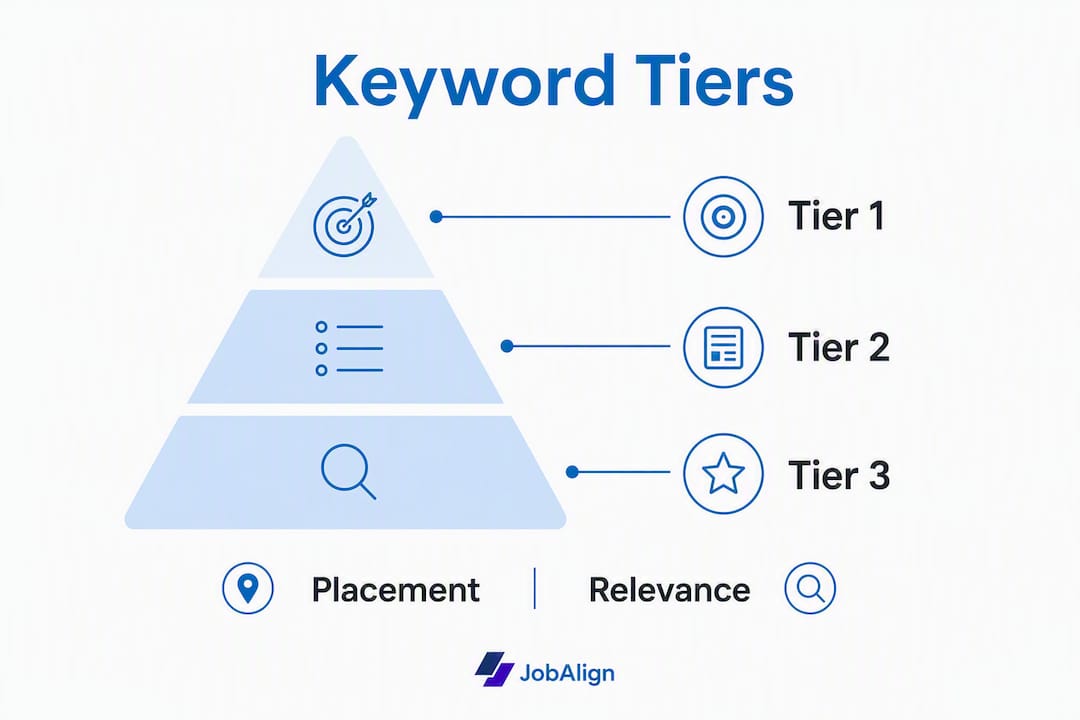
Tier 1: Required hard skills and tools. These are the non-negotiable terms in the job posting: specific software, certifications, and technical skills the employer listed as required. Pull the exact phrasing from the posting (not a synonym) and place it in your job title line, the first bullet of the most relevant role, and your Skills section. Keywords embedded in accomplishment bullets carry more weight than those listed only in a standalone skills block.
Tier 2: Repeated competencies. Scan five real postings for the same role. Any soft skill or competency that appears three or more times is a Tier 2 term. Weave these into your accomplishment bullets so they appear in context, not as a list. Check our guide on presenting soft skills effectively for placement tactics.
Tier 3: Company and industry language. These are signals of cultural and domain fit: the company’s stated values, industry-specific acronyms, and product or methodology names. Use them sparingly, once or twice, to show you understand the environment without stuffing the document.
Extraction workflow: open five job postings for your target role, highlight every term that appears three or more times, then sort by tier. Map each term to the section where it will appear.

| Keyword | Tier | Placement |
|---|---|---|
| SQL (Data Analyst) | Tier 1 | Job title line + first bullet |
| Cross-functional collaboration | Tier 2 | Accomplishment bullet, mid-role |
| Agile / Scrum | Tier 1 | Skills section + project bullet |
| “Data-driven culture” | Tier 3 | Professional summary, once |
| Stakeholder communication | Tier 2 | Bullet with quantified outcome |
Pro Tip: Keep every keyword defensible. If you list SQL as a Tier 1 skill, be ready to walk through a query in the interview. Keyword stuffing you cannot back up creates problems the moment you get the call.
ATS-friendly formatting: what you must get right
Two-column layouts, tables, text boxes, and headers/footers are the most common cause of parsing failures. A visually impressive template can produce completely empty fields in an ATS database. Here is what actually works:
- Layout: single-column, top-to-bottom flow only.
- Section headings: use standard labels: Experience, Education, Skills, Summary. Avoid creative alternatives like “Where I’ve Worked.”
- File type: DOCX for most applications; ATS-compatible PDF only when the posting explicitly permits it.
- Fonts: Arial, Calibri, or Georgia at 10–12pt. No icons, no graphics embedded in the text flow.
- Dates: consistent format throughout (e.g., Jan 2022 – Mar 2024). Never leave a current role undated.
- Acronyms: spell out once on first use, e.g., Search Engine Optimization (SEO), then abbreviate.
Parsing test (under five minutes): paste your resume text into a plain-text editor. If the fields scramble, lose order, or produce garbled output, your format has a parse problem. Fix the layout before adding more keywords, because a parsed-but-weak resume will still outrank an unparsed strong one.
Stat to know: Over 90% of employers use ATS, and many acknowledge that qualified candidates are screened out by these systems. Formatting is the fastest fix with the highest return.
Pro Tip: Run your resume through JobAlign’s ATS check before submitting. It flags missing fields and parse errors in seconds, so you fix the structure, not just the keywords.
How to humanize your resume without losing keyword relevance
Recruiters are actively watching for bot-like resumes that mirror a job posting word-for-word. Adding authentic details protects you from that flag while keeping your keyword match intact.
What to add:
- A short, original professional summary (3–4 sentences) written in your own voice, not copied from the posting.
- One or two project bullets with concrete outcomes: what you built, what changed, and by how much.
- A portfolio, GitHub, or LinkedIn URL where the work is visible.
The formula for a humanized bullet: action verb + Tier 1 keyword + Tier 2 competency + quantified result. That structure satisfies the ATS and gives the recruiter a story.
- Before: “Responsible for managing social media accounts.”
- After: “Grew Instagram engagement 43% in six months by building a content calendar aligned with product launch cycles (Hootsuite, cross-functional collaboration).”
Pro Tip: Before you submit, run a one-sentence vulnerability check on every bullet: “Can I explain this in 60 seconds if asked?” If the answer is no, rewrite or remove it.
Step-by-step customization workflow for each application
Good news: you do not rewrite your resume from scratch every time. The master resume approach cuts per-application time to roughly 10–15 minutes.
- Build your master resume (one time, ~60 minutes): include every role, project, metric, and skill you have. This is your source document, never submitted directly.
- Mirror the job title (~2 minutes): align your current title line to the posting’s exact phrasing where honest.
- Swap in Tier 1 keywords (~5 minutes): replace generic terms in your top two bullets with the exact phrasing from the posting.
- Tweak one or two bullets (~3 minutes): add a quantified result or a Tier 3 phrase that fits the company context.
- Run a parse test (~2 minutes): paste into plain text or use JobAlign’s parser. Fix any blank fields.
- Save as a tailored PDF (~1 minute): file name format:
Lastname_Firstname_CompanyName_Role_2026.pdf.
Use a resume personalization checklist to audit each application before you hit submit.
Pro Tip: Track every tailored version in a simple spreadsheet: company, role, date sent, ATS pass (yes/no), interview (yes/no). After ten applications, patterns emerge fast.
Before-and-after examples you can adapt right now
Keywords in context score higher than keywords in isolation. These pairs show the difference across four common U.S. roles. Adapt the structure, not the numbers, unless the numbers are yours.
| Role | Before | After (Tier 1 + Tier 2 + result) |
|---|---|---|
| Data Analyst | “Analyzed sales data and created reports.” | “Built SQL dashboards tracking $4M in quarterly revenue, reducing report turnaround (cross-functional collaboration, Tableau).” |
| Software Engineer | “Worked on backend services.” | “Refactored Python microservices handling 2M daily requests, cutting latency 22% through code review and pair programming.” |
| Product Manager | “Managed product roadmap.” | “Prioritized a 12-feature roadmap using stakeholder interviews and OKR alignment, shipping two releases on schedule with a 15% NPS lift.” |
| Marketing Specialist | “Ran email campaigns.” | “Executed HubSpot drip sequences for 40K subscribers, lifting open rates 18% through A/B testing and data-driven segmentation.” |
Only use the numbers you can defend. A recruiter who asks “walk me through that 22% latency reduction” expects a real answer.
What the data shows: ATS pass rates and how to measure your results
Tailored resumes score substantially higher in ATS simulations than generic versions, with reported simulation ranges of 75–90% for tailored documents versus 40–55% for generic ones. JobAlign’s internal data shows an ~87% ATS pass rate when resumes are generated with its tailored workflow and parsing checks.
“Parsing success is the precondition for ranking. A resume that fails parsing often creates empty fields and won’t surface in recruiter filters — no matter how strong the content.” — ATS parsing research, TieCV
What to measure after each application:
- ATS pass rate: did the parser extract all fields correctly? Run a plain-text test or use a dedicated scanner.
- Interview rate: track interviews per ten applications. Below one in ten is a signal to revisit keyword alignment.
- Response time: unusually long silence often points to a parse failure, not a qualification gap.
A note on variability: ATS results differ across vendors (Workday, Greenhouse, iCIMS, Taleo) and employer configurations. Simulation scores are approximations. Use them as directional signals, not guarantees, and cross-reference with an independent ATS primer to understand how different systems behave.
Should you automate or customize manually?
The honest answer depends on your application volume and how specific each role is.
| Scenario | Recommended approach |
|---|---|
| Early-career, 1–3 targeted applications | Manual tailoring; spend full time on each bullet |
| Mid-career, 5–10 applications/month | Master resume + 10–15 min tailoring pass per role |
| High-volume search, multiple applications per month | Automated extraction (JobAlign) + human edit on bullets |
The trade-offs are real. Automation is faster and catches keyword gaps you might miss manually. Manual editing gives you tighter control over tone and specificity. The practical rule: automate the template and keyword extraction, then always human-edit the two or three bullets that carry the most weight before you submit. A tailored resume workflow guide walks through both approaches with timing estimates.
Key Takeaways
A resume differentiation strategy works because it combines ATS-safe formatting, tiered keyword placement, and quantified human evidence into one repeatable system per application.
| Point | Details |
|---|---|
| Three-tier keywords | Map Tier 1 (hard skills), Tier 2 (competencies), Tier 3 (industry language) before writing each version. |
| Formatting first | Fix single-column layout and standard headings before optimizing keywords; a parsed-but-weak resume outranks an unparsed strong one. |
| Humanize every bullet | Use action verb + Tier 1 keyword + quantified result to satisfy ATS and reassure recruiters you are a real candidate. |
| Track your metrics | Log ATS pass rate and interview rate per ten applications to identify and fix weak spots fast. |
| JobAlign automates the workflow | JobAlign syncs your LinkedIn profile, extracts job-specific keywords, and generates ATS-compatible resumes with an ~87% reported pass rate. |
The mistake most job seekers make
The conventional wisdom says “tailor your resume.” What it rarely explains is that over-tailoring is just as damaging as under-tailoring. Resumes that mirror a job posting too closely, repeating the same phrases verbatim in every bullet, trigger recruiter suspicion and, increasingly, ATS flags for bot-like patterns.
The real discipline is restraint. Use Tier 1 keywords exactly once in a title or first bullet, then let the rest of the document show context and outcomes. Recruiters are not counting keyword frequency; they are scanning for evidence that you have done the work. A single bullet that says “reduced churn 18% using Salesforce retention workflows” does more than five bullets that each mention Salesforce.
Over-designed resumes with graphics, icons, and two-column layouts fail parsers at a rate that should embarrass the template designers who sell them. Clean and parseable beats beautiful and broken every time.
JobAlign takes the manual work out of tailoring
Every application deserves a tailored resume. The problem is that doing it manually for twenty or thirty postings a month is genuinely time-consuming. JobAlign connects directly to your LinkedIn profile, analyzes each job description, and generates an ATS-compatible resume with the right keywords already placed in the right fields. No complicated setup, no blank-page paralysis.
The workflow maps directly to what this article recommends: Tier 1 keyword extraction, single-column ATS-safe templates, and a parsing check built into the generation process. JobAlign’s internal data puts its ATS pass rate at approximately 87%, measured against its own parsing checks. That figure reflects the platform’s workflow, not a guarantee for any specific employer’s ATS configuration.
Start your first tailored resume with JobAlign and see the difference a properly parsed, keyword-matched document makes to your interview rate.
Useful sources and further reading
- How to Write an ATS Resume in 2026 — Simplify Jobs: practical formatting rules and keyword placement guidance with current examples.
- How to Differentiate Yourself from Fake Job Seekers — Dice.com: recruiter perspective on authenticity signals and what flags a bot-like resume.
- ATS-Friendly Resume Tips — Indeed.com: 18 practical tips from a major U.S. job board; authoritative baseline for ATS formatting rules.
- What Is an Applicant Tracking System? 2026 Guide — LocateHire Blog: independent ATS primer useful for understanding how different vendor systems behave.
- ATS Resume Keywords 2026 — JobAlign: keyword list and placement guidance that maps directly to the three-tier method above.