How to Write a Targeted Resume Summary in 2026

What is a targeted resume summary, and why does it matter?
A targeted resume summary is a brief introduction at the top of your resume, written specifically for one job opening. It pulls the most relevant skills, achievements, and keywords from your background and connects them directly to what the employer is asking for. Generic summaries tell recruiters what you want. A tailored one tells them why you’re the right fit for this role.
The payoff is real. Tailored summaries get more interviews by mirroring job posting keywords and putting your strongest qualifications front and center. Hiring managers scan resumes in seconds, so the summary is your one shot to make the match obvious before they move on.
A strong targeted summary includes three things:
- Job-specific keywords pulled directly from the posting (role title, tools, core competencies)
- Measurable achievements that prove impact, not just responsibility
- Relevant skills that address the employer’s stated priorities, both hard and soft
Think of it as the answer to the question every recruiter is silently asking: “Why should I keep reading?”
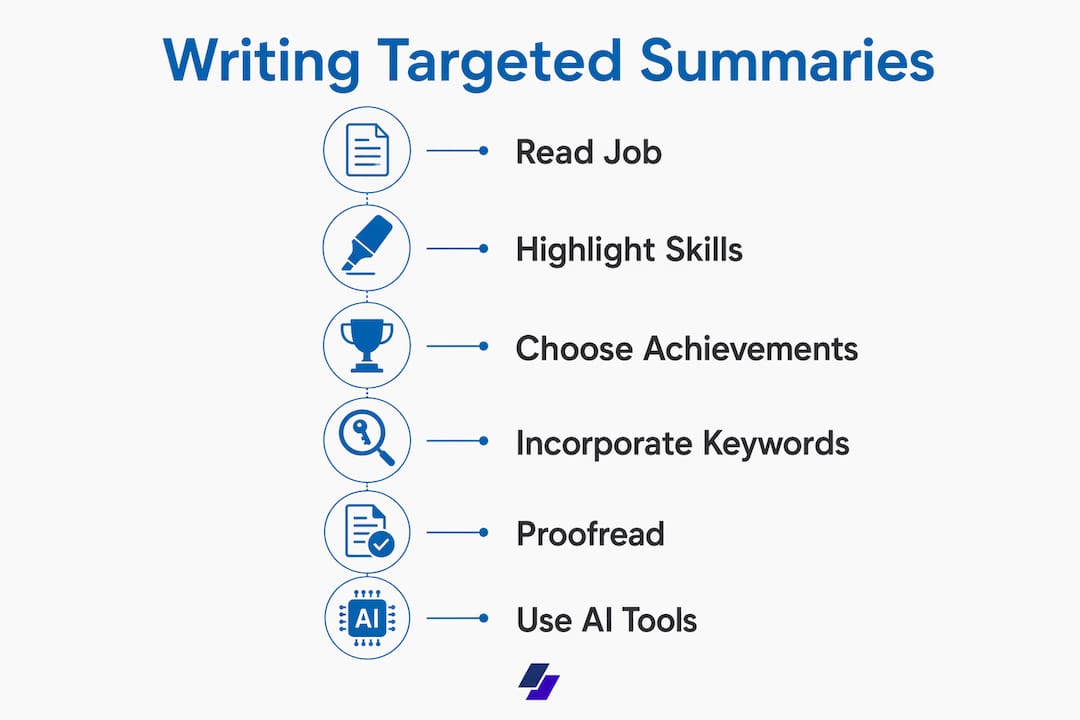
How to write a targeted resume summary by reading the job description first
The job description is your blueprint. Read it like a detective, not a skimmer. Your goal is to separate what the employer needs from what they’d like, then build your summary around the former.
Here’s how to extract what matters:
- Highlight required skills labeled “required” or listed first. These are non-negotiable.
- Note preferred qualifications separately. They’re worth including if you genuinely have them.
- Identify tools and technologies mentioned by name (Salesforce, SQL, Tableau, Jira). These are often ATS triggers.
- Spot outcome language: phrases like “increase retention,” “reduce churn,” or “drive revenue” signal what success looks like in the role.
- Group keywords by category: role keywords, hard skills, tools, and domain language. Grouping by category makes it far easier to weave them naturally into your summary later.
One thing to watch: avoid pulling phrases you can’t back up. If the job asks for “experience with enterprise CRM platforms” and you’ve only used a basic free tool, don’t mirror that language. Authenticity matters because a recruiter will ask about it in the interview.
Pro Tip: Copy the job description into a separate document and highlight every skill, tool, and outcome mentioned more than once. Those repeated terms are the employer’s real priorities, and your summary should address at least two or three of them directly.

How to select the right skills and achievements for your summary
Once you’ve mapped the job description, the next step is choosing which parts of your background to feature. You don’t need to list everything. You need the three to five qualifications that most directly match what the employer is hiring for.
Start by listing your top matching proof points: experiences, results, or skills that align with the role’s must-haves. Then ask yourself which ones you can quantify. Numbers do more work than adjectives. “Reduced onboarding time by 35%” lands harder than “improved onboarding processes.”
Here’s a quick comparison of weak versus strong summary language:
| Weak phrasing | Stronger alternative |
|---|---|
| “Responsible for managing a team” | “Led a 6-person team that shipped 14 features in 12 months” |
| “Experience with data analysis” | “Built SQL dashboards that cut reporting time by 40%” |
| “Strong communicator” | “Presented quarterly results to C-suite stakeholders across 3 regions” |
| “Helped grow revenue” | “Contributed to a 22% YoY revenue increase through upsell campaigns” |
Balance hard skills (tools, certifications, technical expertise) with soft skills (leadership, communication, cross-functional collaboration) when the job description calls for both. A summary that includes several relevant role keywords plus measurable results consistently performs better with both ATS and human reviewers.
Pro Tip: Write your summary last, after you’ve finished the rest of your resume. By then, you’ll have a full view of your strongest bullets to pull from, and the summary practically writes itself.
How to incorporate keywords naturally for ATS optimization
ATS software scans your resume for keyword matches before a human ever sees it. If your summary doesn’t reflect the language in the job posting, you may be screened out automatically, regardless of how qualified you are.
The fix is not to stuff every keyword into one paragraph. That approach backfires. Keyword stuffing without context can reduce your ATS ranking and undercut your credibility with the recruiter who reads it next. Every term you include needs to be backed by something real in your experience bullets.
Here’s how to integrate keywords without it feeling forced:
- Use the job title or a close equivalent in your first sentence. If the posting says “Digital Marketing Manager,” lead with that title.
- Weave tools and skills into achievement statements rather than listing them in isolation. “Managed a $50K monthly ad budget using Google Ads and Meta Ads Manager” reads naturally and hits multiple keywords at once.
- Mirror the posting’s language exactly for role-critical terms. ATS systems often match exact strings, so “project management” and “managing projects” may score differently.
- Place your highest-priority keywords early in the summary. ATS parsers and human readers both weight the opening lines more heavily.
Pro Tip: After drafting your summary, paste it next to the job description and read them side by side. If the top three requirements from the posting don’t appear in your summary, revise before you submit.
How to proofread your summary for alignment with the job
A summary that sounds polished but doesn’t match the job is still a miss. Before you finalize, run through this checklist:
- Does your job title mirror the target role? If the posting says “Senior Data Analyst” and your summary says “data professional,” fix it.
- Are your top two or three keywords from the posting present? Not stuffed, but genuinely woven in.
- Do your achievements connect to the employer’s stated outcomes? If the job prioritizes customer retention, your summary shouldn’t lead with cost reduction.
- Have you cut filler phrases? “Responsible for,” “worked on,” and “helped with” add no value. Replace them with active verbs: led, built, delivered, reduced.
- Is the tone consistent with the rest of your resume? Your summary shouldn’t sound like a different person wrote it.
- Did you read it aloud? If it sounds awkward spoken, it reads awkward too. A peer review catches errors your own eyes skip.
ATS-friendly resumes also require clean formatting: standard section headings, no tables or text boxes in the summary area, and consistent date formats throughout. A beautifully written summary loses its impact if the ATS can’t parse the document around it.
Additional tips to make your summary concise and culturally aligned
Good mechanics get you past the ATS. Good judgment gets you the interview. These practical tips cover the gap:
- Use active voice and strong verbs. “Spearheaded,” “delivered,” “built,” and “reduced” signal ownership. Passive constructions (“was responsible for”) signal the opposite.
- Keep it to 2–4 sentences. The summary is a hook, not a biography. Anything longer dilutes the impact.
- Match the company’s tone. A startup that describes itself as “scrappy and fast-moving” responds differently to a formal, corporate summary than a Fortune 500 firm does. Read the job posting, the company’s LinkedIn page, and their website before you write.
- Cut every cliché. “Results-driven professional,” “team player,” and “passionate about excellence” say nothing. Replace them with specifics.
- Refresh for every application. Pasting the same summary into 40 applications is the fastest way to get 40 rejections. Even small adjustments, swapping one keyword, updating the role title, adding a relevant metric, make a measurable difference.
One more thing: avoid writing in first person. Don’t start with “I am a marketing manager.” Drop the pronoun and open with your title and experience directly. “Marketing manager with 7 years of experience in B2B SaaS” is cleaner, more professional, and reads better in every context.
How AI tools are changing the way job seekers build tailored summaries
AI resume tools have shifted from novelty to practical utility. The best ones read your existing resume and a target job description, then generate a summary that bridges your actual experience to the specific role. That’s a meaningful time saver when you’re applying to multiple positions a week.

Effective AI-generated summaries use exact job description language to connect past experience with target roles, which is exactly what ATS filters look for. They surface achievements you might have buried in a bullet point and translate transferable skills into the language of a new field, useful if you’re changing industries or returning after a gap.
That said, AI output is a starting point, not a finished product. AI works best when paired with human editing to ensure tone fit and cultural alignment. A generated summary might hit all the right keywords but sound generic or miss the company’s voice entirely. Your job is to read it critically, inject your actual voice, and verify every claim reflects something real in your experience.
JobAlign takes this a step further by syncing directly with your LinkedIn profile, extracting your real experience and achievements, and generating a tailored resume for each job with an ATS pass rate that reflects genuine keyword alignment, not template filler. The result is a summary built from your actual career, not a generic placeholder you have to rewrite from scratch.
Pro Tip: Use AI to generate a first draft, then spend five minutes personalizing it. Add one specific metric, adjust the tone to match the company, and confirm every keyword maps to a real bullet point in your experience section. That combination outperforms either AI alone or a fully manual approach.
Try JobAlign for your next application
Writing a strong targeted summary manually takes time, especially when you’re applying to multiple roles at once. JobAlign automates the hardest part: it reads your LinkedIn profile, analyzes the job description, and builds a fully tailored resume with a custom summary optimized for ATS. No templates, no copy-pasting, no starting from scratch every time.
Start building your tailored resume with JobAlign and see the difference a properly targeted summary makes in your application results.
Key Takeaways
A targeted resume summary, written with job-specific keywords and measurable achievements, is the single most effective way to pass ATS filters and earn a recruiter’s attention in the first scan.
| Point | Details |
|---|---|
| Tailor every summary | Write a new summary for each application, mirroring the job posting’s top keywords and priorities. |
| Lead with keywords and results | Include role keywords plus measurable achievements to satisfy both ATS and human reviewers. |
| Keep it to 2–4 sentences | A summary is a hook; anything longer dilutes focus and loses the recruiter’s attention. |
| Proofread for alignment | Verify your job title, keywords, and achievements connect directly to the posting before submitting. |
| Use AI as a starting point | AI tools generate strong drafts, but human editing for tone and accuracy produces the best results. |