3 Resume Formats for Multiple Jobs: When to Stack, Split, or Relist

Stack roles under one company heading when your duties overlapped, and split them into separate entries when your responsibilities or scope changed with each promotion. The main exception is nonconsecutive stints, where you list the company twice with a clear date gap. Whichever format you pick, tailor your summary and keywords to the specific job description before you hit submit, every single time.
TL;DR:
- Stacking roles under one company is best when responsibilities barely changed, while separate sub-entries suit genuine shifts in duties or scope.
- Maintaining a single master resume and creating specific targeted versions for different job types reduces editing time and improves relevance.
- Tailoring your resume involves swapping keywords and achievements to suit each role, especially in the summary, skills, and accomplishment sections.
- ATS-friendly formatting requires simple, linear layouts with standard headers, avoiding tables or graphics that can scramble parsing.
- Building multiple resumes from a LinkedIn profile using automation tools like JobAlign can save time and ensure consistent, tailored applications.
Table of Contents
- The Three Ways to Format Multiple Positions at One Company
- Should You Keep One Master Resume or Several Targeted Ones?
- How Do You Tailor a Resume for Different Job Targets?
- What ATS Formatting Rules Actually Matter for Multiple Resume Versions?
- Handling Dates, Short Stints, and Job Hopping
- Copy-Ready Examples for Common Resume Situations
- Why Most Job Seekers Get the “One Resume” Advice Backward
- Try JobAlign to Build Every Targeted Version in Minutes
- Sources
The Three Ways to Format Multiple Positions at One Company
You have three real options when one employer shows up more than once on your resume, and picking the wrong one is one of the most common ways a strong career history reads as messy. The Muse lays out the three accepted formats, and each one solves a different problem.
Stacked titles under one company header. This works best when your responsibilities barely changed between roles, or when a title bump was mostly a pay grade shift rather than a new job. You list the company once, then stack the job titles with their own date ranges underneath, followed by a single combined bullet list.
- Company Name, City, State
- Senior Analyst (2024–2026), Analyst (2022–2024)
- Combined bullets describing impact across both roles
Separated sub-entries under one company. Use this when your duties, team, or scope genuinely shifted. Each title gets its own short bullet set, and you add a one-line note flagging the promotion so a human reader (and a hiring manager skimming fast) doesn’t miss the career growth.
- Company Name, City, State
- Marketing Manager (2024–2026): Led a team of four, owned the paid media budget
- Promoted from Marketing Coordinator
- Marketing Coordinator (2022–2024): Managed social calendars, supported campaign launches
Listing the company twice. This is the right call for nonconsecutive employment, like leaving for two years and returning, or when the second stint was in a completely different function (say, you left as a designer and came back as a product manager). Treat the two stints as fully separate resume entries with their own date ranges.
The ATS trade off matters here. The Muse warns that stacking titles can trip up some parsers, since the software sometimes struggles to attribute bullets to the correct title and date range. If you stack, keep the formatting simple and skip nested tables or graphics that could scramble the parse.
Should You Keep One Master Resume or Several Targeted Ones?
Keep one master resume as your complete archive, and build targeted core resumes from it for each type of role you’re pursuing. Think of the master as your full inventory. It holds every job, every bullet, every metric you’ve ever written, with nothing trimmed for length or relevance. The targeted resume is the lean, tailored document you actually send, pulled and edited from that master.
Indeed recommends this exact structure, and for good reason: job seekers spend real time revising a resume before each application, and starting from a modular bank of pre-written bullets cuts that time down considerably instead of rebuilding achievements from scratch.
Run through this checklist to decide how many core resumes you actually need:
- Are you applying to both individual contributor and manager roles? Build a resume for each, since the framing of your accomplishments should shift with the audience.
- Are you switching industries? A second core resume that reorders your skills and leads with transferable experience will outperform one master document trying to serve two audiences.
- Do your target roles require noticeably different skill sets (say, a data analyst role versus a project management role)? Keep separate versions rather than cramming both skill sets into one summary.
Most job seekers do fine with two to four core resumes, updated every few months or whenever a new achievement is worth adding to the master file.
Pro Tip: Name your files by role and date, like “Resume_ProductManager_2026-03.docx,” and keep a separate document that’s just your bullet bank organized by skill category. When a new job posting calls for “cross-functional leadership,” you copy the matching bullet instead of writing it from memory.
How Do You Tailor a Resume for Different Job Targets?
Your summary line, your skills section, and your bullet phrasing all need to shift depending on which job you’re chasing, and the fastest way to do that is to build modular pieces you can swap in and out rather than rewriting from a blank page each time.
Start with a branding statement that has a fixed core and a swappable second half. Something like: “Operations leader with 8 years of experience scaling logistics teams” stays constant, while the follow up sentence changes: “…specializing in warehouse automation” for one target, or “…with a track record of cutting fulfillment costs by leading cross-functional teams” for another.
Build a core competencies grid near the top of the resume, four to eight skills in a scannable row or short list, and reorder it for each application so the terms matching the job description sit first. Recruiters and applicant tracking systems both scan the top third of the page hardest, so that’s where your most relevant keywords need to live.
Turn generic duties into pivot-ready achievements:
- Generic: “Managed a team and oversaw budgets.”
- Pivot for a leadership role: “Directed a 12-person team and managed a $2M annual budget with zero overruns.”
- Pivot for an individual contributor role: “Executed budget planning and forecasting that informed executive decision-making.”
When you swap keywords in, integrate them into a real sentence describing something you did. Never string a list of buzzwords into a bullet just because the job posting used them.
What ATS Formatting Rules Actually Matter for Multiple Resume Versions?
Recruiters scan a resume for fit in roughly seven seconds, and the applicant tracking system that screens your resume before a human ever sees it works even faster. A large portion of resumes do not make it past ATS filtering, which is exactly why keyword matching and clean formatting matter more than font choice or design flair.
A few formatting rules hold true across every version of your resume, no matter how many you’re juggling:
- Use standard section headings (“Work Experience,” “Skills,” “Education”) instead of creative labels the parser won’t recognize.
- Skip tables, text boxes, columns, and graphics. ATS software reads left to right, top to bottom, and anything nonlinear can scramble the order.
- Save as a PDF unless the employer’s application system specifically asks for a .docx file.
- Mirror the exact phrasing from the job description where it’s accurate. If the posting says “project management,” don’t write “managed projects” and hope the parser makes the connection.
Mirroring language is not the same as copying it wholesale. If the posting lists a skill you don’t actually have, leave it out. Misrepresenting your experience to game a keyword match creates a problem the moment you’re in an interview.
Before you submit, run a quick parsing check. Copy your resume text into a plain text file and see if the sections and dates still read cleanly. Tools built for tailoring a resume to a specific posting can also flag missing keywords against the exact job description you’re targeting, which is faster than guessing.
Handling Dates, Short Stints, and Job Hopping
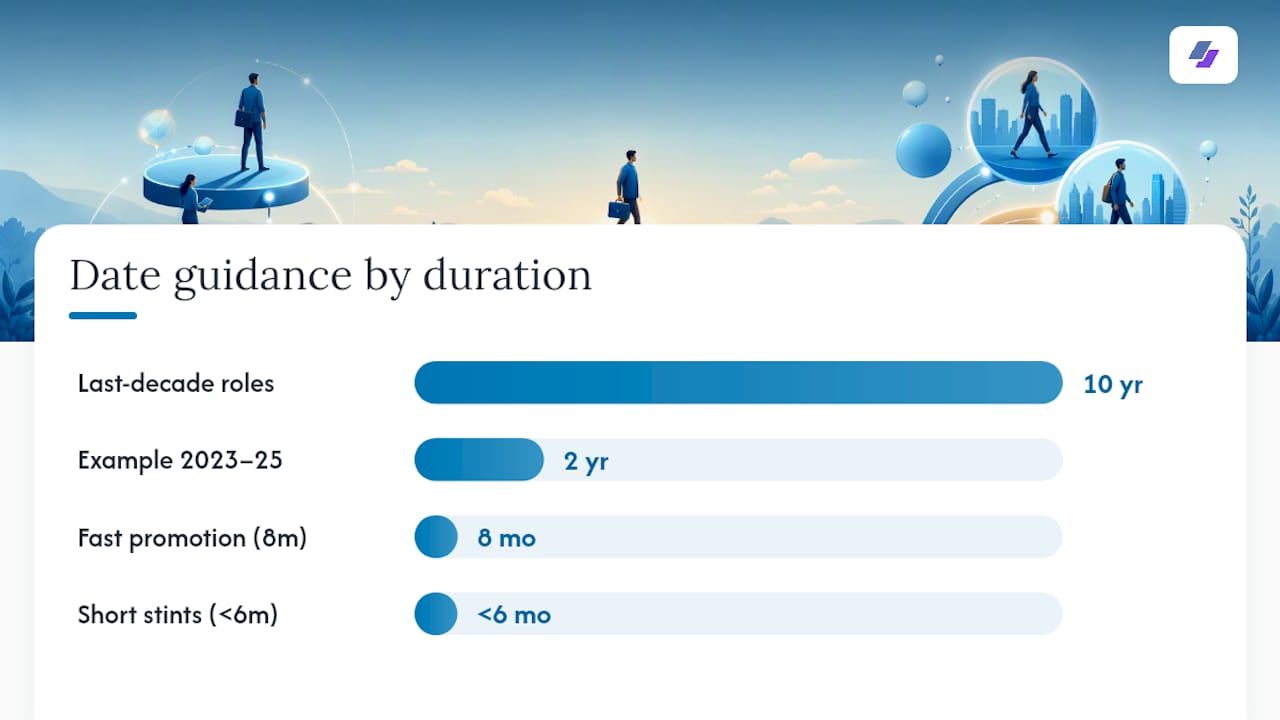
List months and years for anything in the last decade, since gaps matter to recruiters and vague date ranges read as evasive. For older roles, years alone are usually enough, and dropping the months can smooth over short gaps without misrepresenting anything.
Group short-term contract or freelance work under one heading rather than listing each client as a separate job entry. A header like “Independent Consultant, 2023–2025” followed by two or three client engagements as sub-bullets reads far more coherently than five one-line jobs cluttering your work history.
- If a stint lasted under six months, consider folding it into a “Contract Roles” or “Freelance Work” section rather than giving it a full standalone entry.
- Frame a fast promotion explicitly (“Promoted after 8 months based on Q3 performance”) so it reads as a win, not a red flag.
- For older, unrelated jobs, ask whether the entry supports your target role or just adds bulk. If it does neither, cut it. HBR’s guidance on internal moves applies here too: frame every transition around impact, not just tenure.
Copy-Ready Examples for Common Resume Situations
Stacked roles (overlapping duties): Company Name | Senior Account Executive (2024–2026), Account Executive (2022–2024)
Separated roles (real promotion): Company Name | Product Manager (2025–2026) Promoted from Associate Product Manager Bullet: “Owned the roadmap for a feature used by 200,000 monthly active users.” Company Name | Associate Product Manager (2023–2025) Bullet: “Ran user research interviews that shaped two shipped features.”
Summary pivots: For a manager track: “Engineering leader with 6 years building and mentoring high-performing teams.” For an individual contributor track: “Backend engineer with 6 years shipping scalable systems in fintech.”
Freelance grouping: Header: “Independent Consultant, 2023–2025” Sub-bullets listing two or three client engagements with a shared outcome, like cumulative revenue generated or projects delivered.
A template gallery built around ATS-safe layouts is a faster starting point than a blank page if you want to see these formats in a finished design.
Why Most Job Seekers Get the “One Resume” Advice Backward
The old advice to keep one resume and send it everywhere was never great advice. It’s actively wrong now, given how heavily automated screening filters candidates before a human recruiter ever opens the file. The real skill isn’t writing one perfect resume. It’s building a system that produces several good ones fast.
Where I think most guides undersell the problem is the maintenance cost. Writing three good targeted resumes is easy the first time. Keeping them updated every time you land a new project, a new metric, or a new skill, across every version, is where people quietly give up and go back to sending one stale document to every posting. That’s the actual failure mode, not a lack of resume writing skill.
This approach, pulling directly from your LinkedIn profile and generating a new tailored version for each posting, solves that maintenance problem rather than the writing problem. That’s the more valuable half of the equation for most job seekers juggling multiple targets.
— Johan
Try JobAlign to Build Every Targeted Version in Minutes
Building a manager-track resume and an individual-contributor resume from the same career history usually means two separate editing sessions and a lot of copy-pasting. JobAlign skips that by syncing your LinkedIn profile once, then generating a new tailored, ATS-optimized resume for each job description you paste in, pulling the right experience and keywords automatically.
Say you’re applying to both a management role and a senior IC role in the same week. Instead of manually rewriting your summary and bullet points twice, you run your profile through the tool twice, once per job posting, and get two distinct documents built for their exact targets in a few minutes each.
If you want to see the output format before committing, start with the free resume export and generate your first tailored version today.
Sources
For deeper reading on multi-position formatting and resume strategy, see Indeed’s guide to multiple resume versions and The Muse’s breakdown of showing promotions on a resume. For labor market context, the Bureau of Labor Statistics tracks broader hiring trends.
- Why Creating Multiple Versions of Your Resume Works | Indeed
- 2 Jobs, 1 Company: How to Show Multiple Jobs or Promotions on Your Resume | The Muse