Beat the ATS: Skills Section Resume Templates and 5–10 Hard Skills

Include a skills section only when it can spotlight role-critical hard skills, hiring managers and applicant tracking systems both want to see. List a moderate number of measurable hard skills there, prove your soft skills through accomplishment-driven bullets in your work experience, and mirror the exact wording from the job posting wherever it fits your real background. Skip the generic list. That is the whole verdict.
TL;DR:
- Hard skills should occupy the majority of your skills section, with five to ten precise, relevant tools, certifications, or languages tailored to the job.
- Use straightforward, category-based formatting without tables or graphics to ensure ATS compatibility and easy parsing.
- Extract keywords directly from job postings by highlighting exact phrases, then match them with your experience and skills list, avoiding synonyms or padding.
- For technical roles, organize skills into clear categories like tools, programming languages, or frameworks; for generalist jobs, a single line may suffice.
- Automating keyword matching through tools like Jobalign can save time and improve resume relevance by tailoring your skills to each specific role.
Table of Contents
- What Belongs in a Skills Section on a Resume?
- Where Should the Skills Section Go on Your Resume?
- How Do You Find the Right Keywords for ATS?
- Skills Section Examples by Job Type
- Common Skills Section Mistakes to Fix Today
- Who Wrote This, and What’s the Evidence Behind It?
- Who Actually Needs a Dedicated Skills Section?
- Let Jobalign Handle the Keyword Matching for You
- Sources
- FAQ
What Belongs in a Skills Section on a Resume?
Your skills section resume real estate should go almost entirely to hard skills. Hard skills, tools, software, programming languages, certifications, are measurable and specific, which is exactly what makes them scannable by both a recruiter and an applicant tracking system. Soft skills work differently. Words like “communication” or “leadership” carry no weight sitting alone in a list, so they belong in your experience section, attached to a result.
A practical baseline: list 5 to 10 hard skills in your dedicated section. Fewer, sharper items beat a sprawling inventory every time, and recruiters respond better to a tight, relevant list than a wall of buzzwords, according to Robert Half’s hiring research. Here’s how to sort what goes where:
- Hard skills (tools, platforms, languages, technical methods): list them directly, using the exact terms employers search for.
- Soft skills (collaboration, adaptability, leadership): show them through outcomes, not adjectives, for example “led a team of five to cut delivery time by 20%” instead of “strong leader.”
- Certifications and licenses: include them only if they are current, relevant to the role, and verifiable, think PMP, AWS Certified, or a state nursing license.
- Language proficiency: list the level, not just the language, such as “Spanish, professional working proficiency.”
If you are unsure how far to push soft-skill claims, our guide on validating soft skills through experience breaks down the phrasing that actually lands.
Where Should the Skills Section Go on Your Resume?
Placement depends on what you are selling. Early-career candidates and career changers usually benefit from putting the skills section near the top, right under the summary, because they don’t yet have a long work history to lean on. If your experience section is your strongest asset, push skills further down and let your job history carry the weight.
Formatting matters just as much as placement, since a resume that looks clean to you can look like a jumbled mess to a parser. Follow these rules:
- Use plain text formatting. Avoid tables, text boxes, and multi-column layouts, since many ATS platforms fail to parse them correctly.
- Keep separators simple. Commas or standard bullet points work; decorative icons and graphics often do not survive the parsing process.
- Label categories clearly. Group skills under headers like “Technical Skills,” “Tools & Frameworks,” “Languages,” and “Interpersonal,” since category labels help both recruiters and parsers scan faster.
- Match your resume format to your career stage. A chronological resume, skills woven into the timeline, tends to parse more reliably than a functional format built entirely around a skills list, per Coursera’s resume formatting guidance.
For a broader look at how the skills section stacks up against summary and experience in terms of recruiter attention, see our breakdown of resume section priority.
How Do You Find the Right Keywords for ATS?
Every job posting is a keyword map, whether the employer meant it that way or not. Job postings remain the single best source for the exact phrasing recruiters and their ATS software are filtering for, so treat the posting itself as your starting document, not an afterthought.
Here’s the workflow that works for almost any role:
- Step 1: Highlight exact phrasing. Pull specific terms from the responsibilities, required skills, and qualifications sections of the posting, not paraphrases.
- Step 2: Build a short job-keywords list. Map each term to either your skills section or one to two bullets in your experience section.
- Step 3: Prefer exact phrasing over synonyms. If the posting says “stakeholder management,” don’t write “client relations,” but never fabricate a skill you don’t actually have.
- Step 4: Test the parse. Copy your finished resume into a plain text file. If key terms disappear or run together, your formatting is breaking the ATS read.
Pro Tip: Rank your keyword list by how often a term appears across multiple postings for the same role. The terms that repeat across five job listings matter more than one that shows up once.
The warning here is simple: keyword stuffing backfires. Cramming in every term from a posting without backing it up in your experience section reads as padding to a recruiter and can flag as manipulation to a smarter ATS. A tool that maps job description language automatically can speed this process up, but the discipline of proving each term with a real example is on you.
Skills Section Examples by Job Type
Different roles call for different structures. A technical job usually wants categorized skills; a generalist role often does better with a clean single line.
- Software engineer: Programming Languages: Python, Java, SQL. Tools & Frameworks: Git, Docker, AWS, React. Categorized formatting works best here since ATS for technical roles searches for literal tool names. Our software engineer keyword guide has role-specific examples.
- Marketing: Skills: Google Analytics, SEO, HubSpot, A/B testing, content strategy. A single-line list reads well when the skills are already familiar terms to any recruiter.
- Project manager: Skills: Agile, Scrum, Jira, budget forecasting, cross-functional team leadership. Pair this with one bullet in experience proving the leadership claim.
- Customer support: Skills: Zendesk, Salesforce Service Cloud, conflict resolution, multilingual support (Spanish, professional working proficiency).
Template to copy: [Category]: Skill, Skill, Skill | [Category]: Skill, Skill, Skill. Swap in your own categories and prune anything not mentioned in the posting.
Common Skills Section Mistakes to Fix Today
The fastest way to weaken a resume is padding the skills section with words that promise nothing. “Team player” and “hard worker” tell a recruiter nothing measurable, replace them with a single achievement bullet that proves the trait instead.
- Cut soft-skill buzzwords with no evidence behind them; a one-line achievement outperforms an adjective every time, as Resumeble’s research on skill validation confirms.
- Remove outdated tools and jargon. Listing software nobody uses any more signals a resume that hasn’t been updated in years.
- Run the plain-text test. Paste your resume into a .txt file, if skills disappear, merge together, or scramble, your formatting is costing you ATS readability.
Pro Tip: Reread your skills section as if you were a stranger meeting you for thirty seconds. If a skill doesn’t spark a specific memory or example, cut it.
Who Wrote This, and What’s the Evidence Behind It?
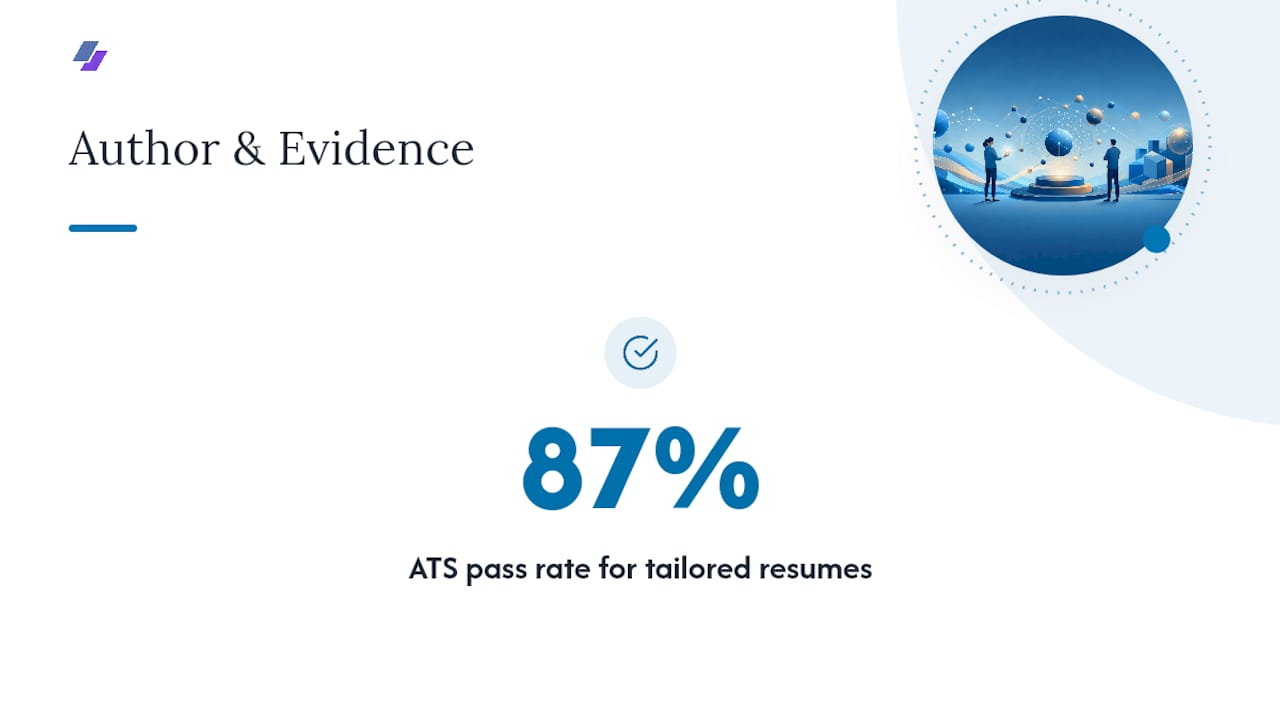
This guide comes from Johan, whose background is in resume generation and ATS optimization strategy. The recommendations here are built on the same principle Jobalign’s platform automates directly: sync a real LinkedIn profile, extract genuine skills and experience, and match them to the job posting’s language, an approach Jobalign reports achieves an 87% ATS pass rate for tailored resumes. For deeper reading, see our guides on ATS keyword placement and the full step-by-step ATS resume process.
Who Actually Needs a Dedicated Skills Section?
Early-career candidates, career pivoters, and technical specialists gain the most from a visible, well-organized skills section, since it fills gaps a thin work history can’t cover. Senior professionals with strong measurable wins should lean on experience bullets, using a short skills line mainly for ATS matching. If you’re applying to many roles, the smarter investment isn’t a single polished skills list. It’s a repeatable tailoring process you can run in minutes per application.
— Johan
Let Jobalign Handle the Keyword Matching for You
Jobalign is the faster alternative to manually rebuilding your skills section for every application. Instead of retyping keywords from scratch each time, Jobalign syncs directly with your LinkedIn profile, parses the job description you’re applying to, and pulls out the exact terms and skills that matter, then builds an ATS-safe export around them. That means consistent phrasing across every resume you send, without you having to remember which version had which keyword list.
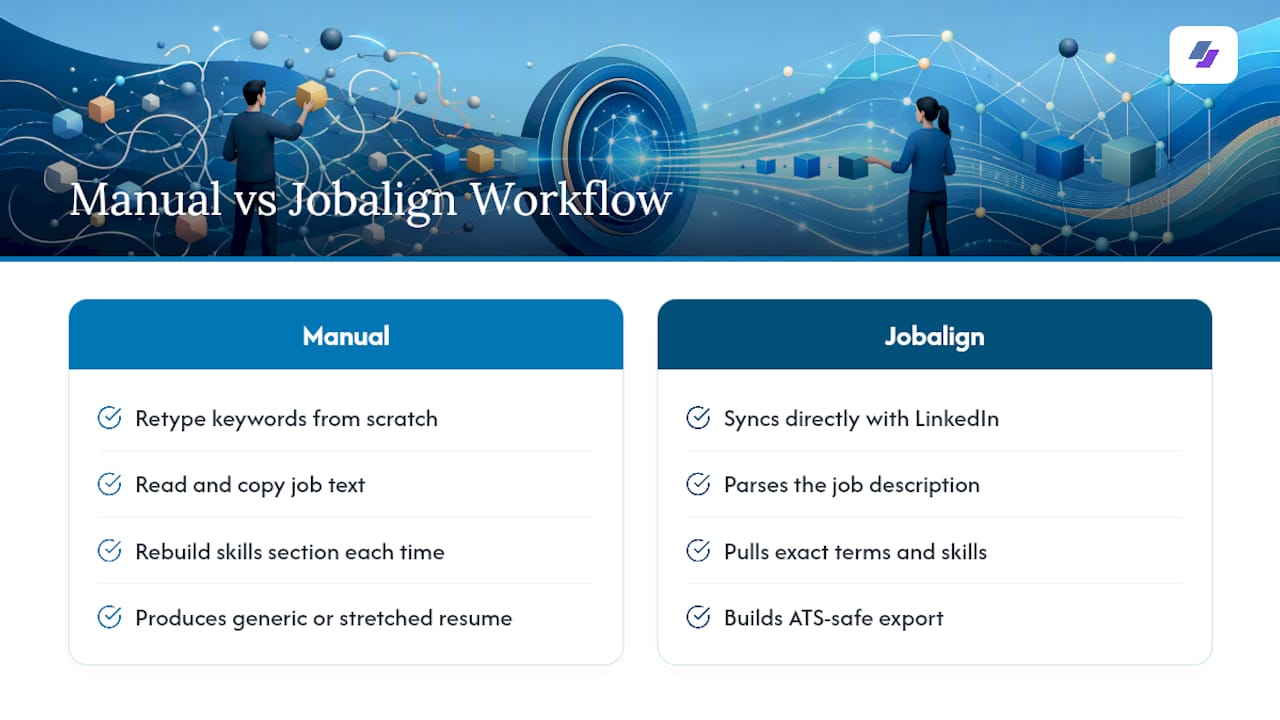
The practical payoff is speed: what takes twenty minutes of manual tailoring becomes a few clicks, and you get a fresh, role-specific resume for every job instead of one generic version stretched too thin. Try a free LinkedIn export or browse ATS-optimized resume templates to see how your own skills section holds up.
Sources
FAQ
What are 5 good skills to put on a resume?
Strong choices depend on the role, but common high-value examples include a specific software platform (like Salesforce or Excel), a programming language, project management methodology (Agile or Scrum), data analysis tools, and a verified language proficiency level.
What are 10 examples of skills for a resume?
A well-rounded list might include Python, SQL, Google Analytics, Adobe Creative Suite, Scrum, budget forecasting, bilingual proficiency, CRM software (like Salesforce), technical writing, and a relevant industry certification, chosen based on what the job posting actually asks for.
How do you categorize skills on a resume?
Group them under clear labels like “Technical Skills,” “Tools & Frameworks,” “Languages,” and “Interpersonal,” since recruiters and ATS software both scan faster when skills are sorted by type rather than dumped into one long line.
How do I know what my own skills are for a resume?
Review your last two or three job descriptions and pull out the tools, methods, and responsibilities you actually handled, then cross-reference that list against the posting you’re applying to and keep only the overlap. Some platforms automate this by pulling skills directly from your LinkedIn history and matching them to each new job description.